

Why Rent a Copier? The Complete Small Business Guide (2026 Guide)

March 24, 2026
 0 views
 0 comments
Why Rent a Copier? The Complete Small Business Guide (2026 Guide)
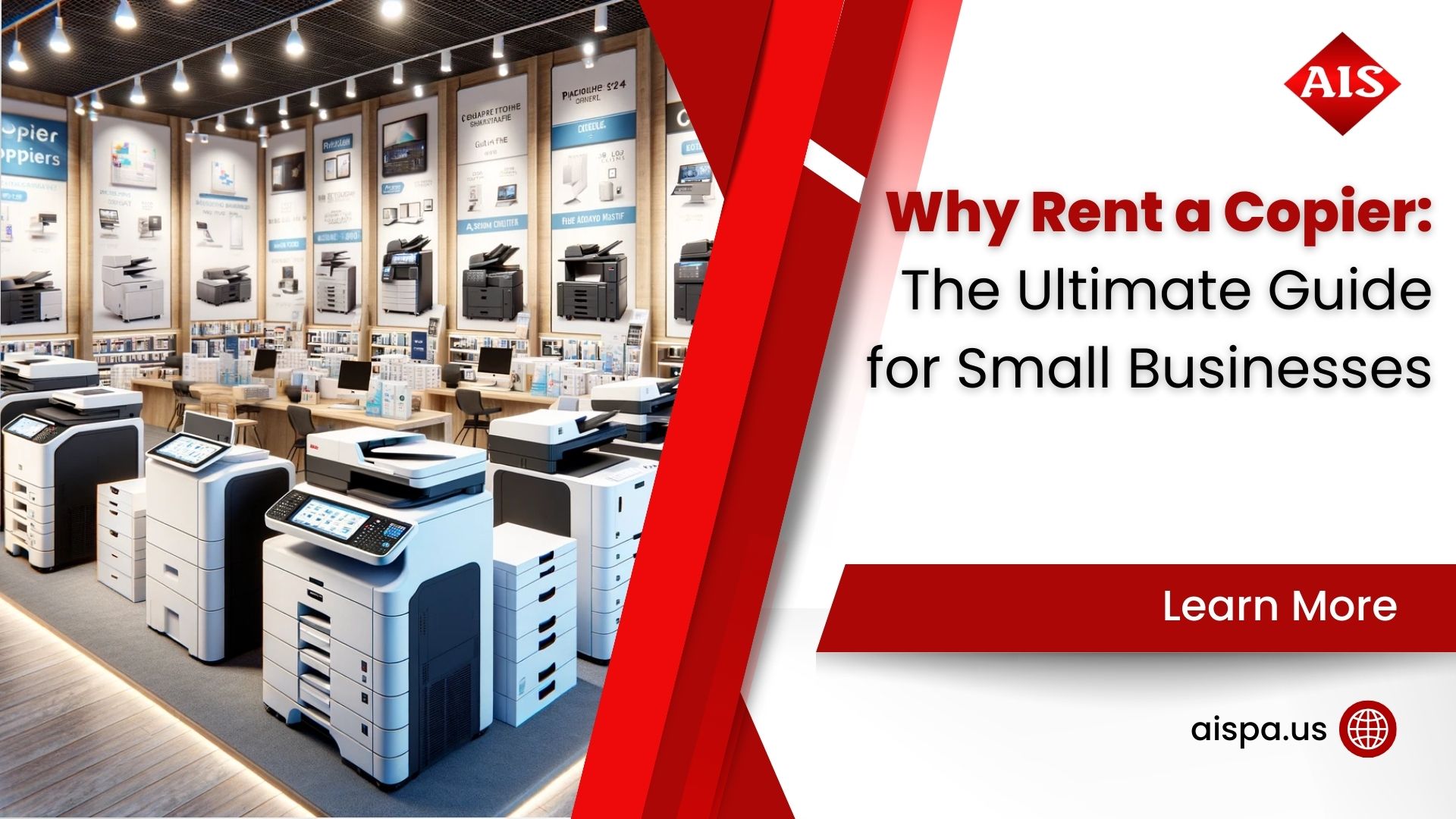
Quick Answer: Renting a copier makes sense for small businesses that need flexible, short-term access to professional printing and copying without a major capital outlay. Monthly copier rental costs typically range from $79 to $650 depending on volume and features, and most rental agreements include maintenance, toner, and service. For businesses in the Philadelphia and Bucks County area, Associated Imaging Solutions provides month-to-month copier rentals with free delivery and local technician support.
What Does It Mean to Rent a Copier?
Renting a copier is exactly what it sounds like. You pay a monthly fee to use a commercial-grade copier or multifunction printer (MFP) without owning the equipment. The rental company delivers the machine, installs it, and typically handles all maintenance and supplies during the rental period.
But here is where it gets interesting. Copier rental is not the same thing as copier leasing, and many business owners confuse the two. A rental is usually a short-term, month-to-month arrangement with no long-term commitment. A lease locks you into a 36 to 60 month contract. And buying outright? You own the machine, but you also own every repair bill and toner cartridge for the life of the equipment.
So which option is right for your situation? The answer depends on your print volume, budget, and how long you need the equipment. We will break down all three options in this guide so you can make a confident decision.
Why More Businesses Are Renting Copiers in 2026
The shift toward renting and leasing office equipment is not a passing trend. The global managed print services market reached $54.4 billion in 2026 and is growing at an 8.88% annual rate, according to Mordor Intelligence. That growth reflects a clear pattern: businesses are moving away from large capital purchases and toward subscription-style models for their printing infrastructure.
Why the shift? A few reasons stand out. Remote and hybrid work models mean office print volumes fluctuate more than they used to. Technology cycles are getting shorter, so buying a copier today might leave you stuck with outdated features in three years. And small businesses in particular need predictable monthly expenses rather than surprise repair costs.
For companies in Pennsylvania’s competitive small business market, copier rentals offer a practical way to access Sharp, Ricoh, and Kyocera multifunction devices without tying up working capital.
Global managed print services market size in 2026, reflecting the shift from ownership to subscription models (Source: Mordor Intelligence)
Top Advantages of Renting a Copier for Your Small Business
Is a copier rental actually worth the money? For most small businesses, the answer is yes. Here are the specific advantages you should know about.
Lower Upfront Costs
A commercial multifunction copier can cost anywhere from $3,000 to $15,000 or more to purchase outright. Renting eliminates that upfront hit entirely. You start with a predictable monthly payment, often as low as $79 per month for basic models, and the rental company covers delivery, installation, and setup.
Built-In Maintenance and Support
One of the biggest headaches of owning a copier is dealing with repairs. Toner runs out, paper jams happen, and parts wear down over time. With a rental agreement, maintenance is typically bundled into your monthly cost. If something breaks, a technician comes to fix it at no extra charge. Local providers in the Greater Philadelphia area, for example, often provide same-day technician response as part of every rental agreement.
Flexibility to Scale Up or Down
Business needs change. Maybe you land a large project and suddenly need high-volume color printing. Or maybe your team downsizes and you no longer need a 60-page-per-minute production machine. Rentals let you swap equipment without penalties or complicated renegotiations. Try doing that with a copier you bought for $12,000.
Access to Current Technology
Today’s multifunction copiers do far more than copy. They scan to cloud storage, integrate with document management systems, support mobile printing from phones and tablets, and include enterprise-grade security features. Renting means you can upgrade to newer models as technology evolves, rather than being stuck with a machine from 2021.
Tax Advantages
Rental payments are generally classified as operating expenses, which means they may be fully deductible in the year they are incurred. Consult your accountant for specifics, but this can be a meaningful benefit compared to depreciating a purchased asset over five or seven years.
Copier Rental vs. Lease vs. Purchase: A Side-by-Side Breakdown
The right choice depends on your timeline, budget, and print volume. Here is how the three main options compare.
| Factor | Rental | Lease | Purchase |
|---|---|---|---|
| Contract Length | Month-to-month (up to 12 months) | 36 to 60 months | No contract (you own it) |
| Monthly Cost | $79 to $650+ | $75 to $450+ | $0 (after purchase) |
| Upfront Cost | Little to none | First month + possible deposit | $3,000 to $15,000+ |
| Maintenance Included | Yes (usually bundled) | Depends on lease terms | No (you pay for repairs) |
| Toner/Supplies Included | Often included | Sometimes included | No |
| Flexibility | High (swap or return anytime) | Low (early termination fees) | None (sell or dispose yourself) |
| Technology Upgrades | Easy (upgrade at renewal) | Possible at lease end | Requires new purchase |
| Best For | Short-term, seasonal, or uncertain needs | Stable, long-term office use | High-volume, long-term commitment |
A quick note on total cost: leasing and renting will cost more over a five-year period than buying outright. But the upfront savings, included maintenance, and flexibility often outweigh that difference for small businesses operating on tight margins. Think of it this way: would you rather spend $12,000 today or $250 a month with everything included?
How Much Does It Cost to Rent a Copier in 2026?
Copier rental pricing depends on several factors: the machine’s speed (measured in pages per minute), whether it prints in color or just black and white, your expected monthly print volume, and what is included in the service agreement.
Here is a general pricing breakdown for 2026:
| Machine Type | Speed (PPM) | Monthly Rental Cost | Best For |
|---|---|---|---|
| Basic B&W Desktop | 20 to 30 PPM | $79 to $150 | Small offices, under 2,000 pages/month |
| Mid-Range B&W MFP | 30 to 45 PPM | $150 to $300 | Growing businesses, 2,000 to 10,000 pages/month |
| Color Multifunction | 30 to 50 PPM | $250 to $450 | Marketing teams, client-facing materials |
| High-Volume Production | 50 to 75+ PPM | $450 to $650+ | Large offices, 20,000+ pages/month |
Keep in mind that per-page charges (also called cost-per-click) may apply on top of your base rental fee. Black-and-white pages typically cost $0.01 to $0.03 each, while color pages run $0.07 to $0.12. Some rental providers offer all-inclusive packages where toner and service are bundled into the monthly rate, which simplifies budgeting significantly.
Monthly copier rental range in 2026, depending on speed, color capability, and included services
When Should You Rent vs. Lease vs. Buy a Copier?
Still not sure which path to take? Here are some real-world scenarios to help you decide.
Rent if:
- You need a copier for less than 12 months (seasonal business, temporary office, construction project office)
- Your business is new and you are not sure about your long-term print volume
- You want zero commitment and the ability to return or swap equipment at any time
- You are between copier leases and need a bridge solution
- You are hosting a conference, event, or trade show and need temporary high-volume printing
Lease if:
- You have stable, predictable printing needs for the next three to five years
- You want a lower monthly payment than renting and are comfortable with a long-term contract
- Your business qualifies for equipment financing and wants to preserve a credit line for other investments
Buy if:
- You have the capital available and want to minimize long-term costs
- Your print volume is high enough to justify the investment (typically 20,000+ pages per month)
- You plan to keep the machine for five or more years and are comfortable managing your own maintenance
Key Features to Consider When Renting a Copier
Not all copier rentals are created equal. Before you sign an agreement, make sure you evaluate these features.
- Print Speed: Measured in pages per minute (PPM). A 30 PPM machine is fine for a 5-person office; a 50-person department probably needs 50+ PPM.
- Color vs. Black and White: Color copiers cost more to rent and operate. If most of your printing is internal documents, a B&W machine may save you hundreds per month.
- Scanning and Document Management: Modern MFPs can scan to email, network folders, cloud storage (Google Drive, OneDrive, Dropbox), and even integrate with workflow automation tools.
- Paper Handling: Consider paper tray capacity, automatic duplexing (two-sided printing), and whether you need tabloid-size (11×17) capability for blueprints or marketing materials.
- Security Features: Look for user authentication, encrypted hard drives, and secure print release. This matters especially for healthcare, legal, and financial businesses in the Philadelphia area.
- Mobile Printing: Apple AirPrint, Google Cloud Print alternatives, and manufacturer-specific mobile apps let your team print directly from smartphones and tablets.
- Energy Efficiency: ENERGY STAR certified copiers use significantly less power, which adds up over a year of daily use.
5 Costly Mistakes Businesses Make When Renting a Copier
Renting a copier is straightforward, but these common missteps can cost you more than necessary.
1. Overestimating Your Print Volume
Paying for a 50,000-page-per-month machine when you only print 5,000 pages is a waste. Ask your rental provider for a print assessment first. Associated Imaging Solutions offers complimentary print environment assessments to help businesses in Montgomery County, Bucks County, and the broader Philadelphia region right-size their equipment.
2. Ignoring Per-Page Costs
A low base rental fee sounds great until you realize you are paying $0.12 per color page on top of it. Always calculate your total monthly cost by multiplying your expected volume by the per-page rate and adding the base fee.
3. Forgetting About Connectivity
Can the rental copier connect to your existing network? Does it support wireless printing? Will it work with your document management system? Confirm these details before the machine shows up at your door.
4. Not Reading the Service Agreement
Some rental agreements charge extra for toner, staples, or drum replacements. Others include everything. Know what is covered before you sign. And ask about response times; four-hour service response is the industry standard, but not every provider meets it.
5. Choosing Price Over Reliability
The cheapest rental is not always the best value. A machine sitting broken for three days costs your business far more in lost productivity than an extra $50 per month for reliable equipment with fast local service. This is especially true for businesses in the Philadelphia metro area where response time depends on having local technicians nearby.
How Associated Imaging Solutions Helps
Free Delivery & Setup
We deliver, install, and configure your rental copier at no additional charge across the Greater Philadelphia area.
Local Technician Service
Our technicians are based in Bucks County and respond quickly to service calls; no waiting days for an out-of-state repair crew.
Print Environment Assessments
We analyze your current print setup and recommend the right equipment for your actual volume and workflow.
Flexible Rental Terms
Month-to-month and short-term options with no hidden fees or complicated renegotiations.
Secure Print Solutions
User authentication, encrypted drives, and secure print release for HIPAA, legal, and financial compliance.
Sustainable Equipment
ENERGY STAR certified copiers and responsible recycling programs to reduce your environmental footprint.
Associated Imaging Solutions has been providing solutions to make businesses run more productively, more reliably, and more efficiently since 1999. Whether you need a single desktop printer for a small Warminster office or a fleet of high-volume MFPs for a large Montgomery County operation, we have the equipment and local expertise to help. Our headquarters at 165 Veterans Way, Suite 100A, Warminster, PA 18974 puts us right in the heart of the communities we serve.
How Copier Technology Is Changing for Small Businesses
The copier sitting in your office today is nothing like the copiers of ten years ago. Modern multifunction printers combine copying, printing, scanning, and faxing into a single device, and the latest models add features that would have seemed futuristic just a few years back.
Cloud connectivity is now standard on most commercial MFPs. Your team can scan a document directly to Google Drive, Dropbox, or Microsoft OneDrive without touching a computer. Mobile printing through Apple AirPrint and manufacturer apps means employees can send print jobs from their phones while walking to a meeting. And security features like user authentication, encrypted hard drives, and automatic data overwrite protect sensitive documents from unauthorized access.
For businesses in regulated industries (healthcare, legal, and finance are the big three in the Philadelphia metro), these security features are not optional. AIIM, the Association for Intelligent Information Management, recommends treating multifunction printers as network endpoints with the same security protocols you would apply to any other connected device.
Speed improvements matter too. A mid-range MFP now handles 40 to 50 pages per minute, which is fast enough for most small business workflows. High-volume models push 70 to 80 pages per minute, rivaling dedicated production printers from a decade ago. And automatic duplexing (printing on both sides) comes standard, cutting paper costs nearly in half for internal documents.
What does this mean for your rental decision? It means renting gives you access to these advanced features without committing to a machine that might be outdated in three years. Technology cycles in the copier industry run about four to five years, so a rental lets you stay current without repeated large capital outlays.
Copier Rental Options for Philadelphia, Bucks County, and Montgomery County Businesses
If you run a business in southeastern Pennsylvania, your copier rental experience depends heavily on your provider’s local presence. A provider with technicians based in Bucks County or Montgomery County can respond to service calls the same day. A provider based out of state might take two to three days to send someone, and that downtime costs your business real money.
The Philadelphia metro area has a strong base of small and mid-sized businesses across industries: medical practices in Doylestown, law firms in Norristown, manufacturing operations in Lansdale, and growing startups throughout the region. Each of these has different copier needs, and a local provider can tailor recommendations based on firsthand experience with similar businesses nearby.
Here are a few things to look for when choosing a local copier rental provider:
- A physical office in the area (not just a national call center)
- Technicians who know the local territory and can arrive quickly
- Experience with businesses in your specific industry
- Relationships with major MFP manufacturers like Sharp, Ricoh, and Kyocera
- Transparent pricing with no hidden delivery or setup fees
If you are comparing providers, ask each one how quickly they can have a technician on-site for a printer jam or breakdown. The answer tells you a lot about their local commitment. A four-hour response window is the industry benchmark; anything longer than that should raise a flag.
Associated Imaging Solutions operates from Warminster, PA, putting us within a short drive of most Bucks County and Montgomery County businesses. We also serve the broader Philadelphia region, including Delaware County and Chester County, with the same local response times.
Copier Rental FAQ
How long can I rent a copier?
Most copier rentals run on a month-to-month basis, though some providers offer terms up to 12 months. This makes rentals ideal for temporary projects, seasonal spikes, or businesses still determining their long-term needs.
What is the difference between renting and leasing a copier?
Renting is short-term and flexible, typically month-to-month with no long-term obligation. Leasing involves a multi-year contract (usually 36 to 60 months) with a lower monthly payment but less flexibility. Renting costs more per month; leasing costs less per month but commits you for years.
Is maintenance included in a copier rental?
In most cases, yes. Reputable rental providers bundle maintenance, toner, and repairs into the monthly fee. Always confirm what is included before signing. Reputable local providers include full service and toner as standard.
How much does it cost to rent a copier per month?
Monthly rental costs range from about $79 for a basic desktop printer to $650 or more for a high-volume color production machine. The exact price depends on speed, features, and whether supplies are included. Most small businesses pay between $150 and $350 per month.
Can I rent a color copier for my small business?
Absolutely. Color multifunction copiers are available for rental starting around $250 per month. They handle printing, copying, scanning, and faxing, and are great for businesses producing client-facing documents, marketing materials, or presentations.
What happens if the rental copier breaks down?
Your rental provider should handle all repairs as part of the service agreement. A quality provider will dispatch a local technician to your location, typically within a few hours. If a repair takes longer, some companies provide a loaner machine to keep your office running.
Do I need a credit check to rent a copier?
Rental agreements typically involve a simpler approval process than a lease. Some providers may run a credit check; others simply require a business reference or deposit. The requirements vary by provider and rental term length.
Can I upgrade my rental copier mid-contract?
Yes, this is one of the biggest advantages of renting. Because most rental agreements are month-to-month, you can switch to a faster or more capable machine at your next renewal period without early termination fees.
Are copier rental payments tax deductible?
Generally, yes. Copier rental payments are classified as operating expenses and may be fully deductible in the tax year they are incurred. This differs from purchasing, where you depreciate the asset over several years. Consult your accountant for guidance specific to your business.
What brands of copiers does Associated Imaging Solutions rent?
We work with leading manufacturers including Sharp, Ricoh, and Kyocera. Our team can recommend the right brand and model based on your specific print volume, feature requirements, and budget.
Is renting a copier better than buying for a startup?
For most startups, yes. Renting preserves cash for revenue-generating activities, includes maintenance so you do not need an IT team to manage printers, and gives you the flexibility to scale as your business grows. You can always transition to a lease or purchase once your needs stabilize.
Do copier rentals include paper and staples?
Paper is usually not included in rental agreements; you will need to supply your own. Staples for finisher units and toner are often included, depending on the provider and agreement terms. Always clarify supply coverage before committing.
Ready to Find the Right Copier for Your Business?
Our team has been helping Philadelphia-area businesses with copier rentals, leases, and managed print services since 1999. Tell us about your needs and get a free, no-obligation quote.
Related Posts
— The Lifespan of Printers: How Long Do Printers Last
— What Is an Inkjet Printer? Understanding the Basics of Inkjet Printing