

What Is an MFP Printer? A Complete Guide to Multifunction Printers (2026 Guide)

April 1, 2026
 0 views
 0 comments
What Is an MFP Printer? A Complete Guide to Multifunction Printers (2026 Guide)
Types, costs, features, and how to choose the right MFP for your Pennsylvania business in 2026
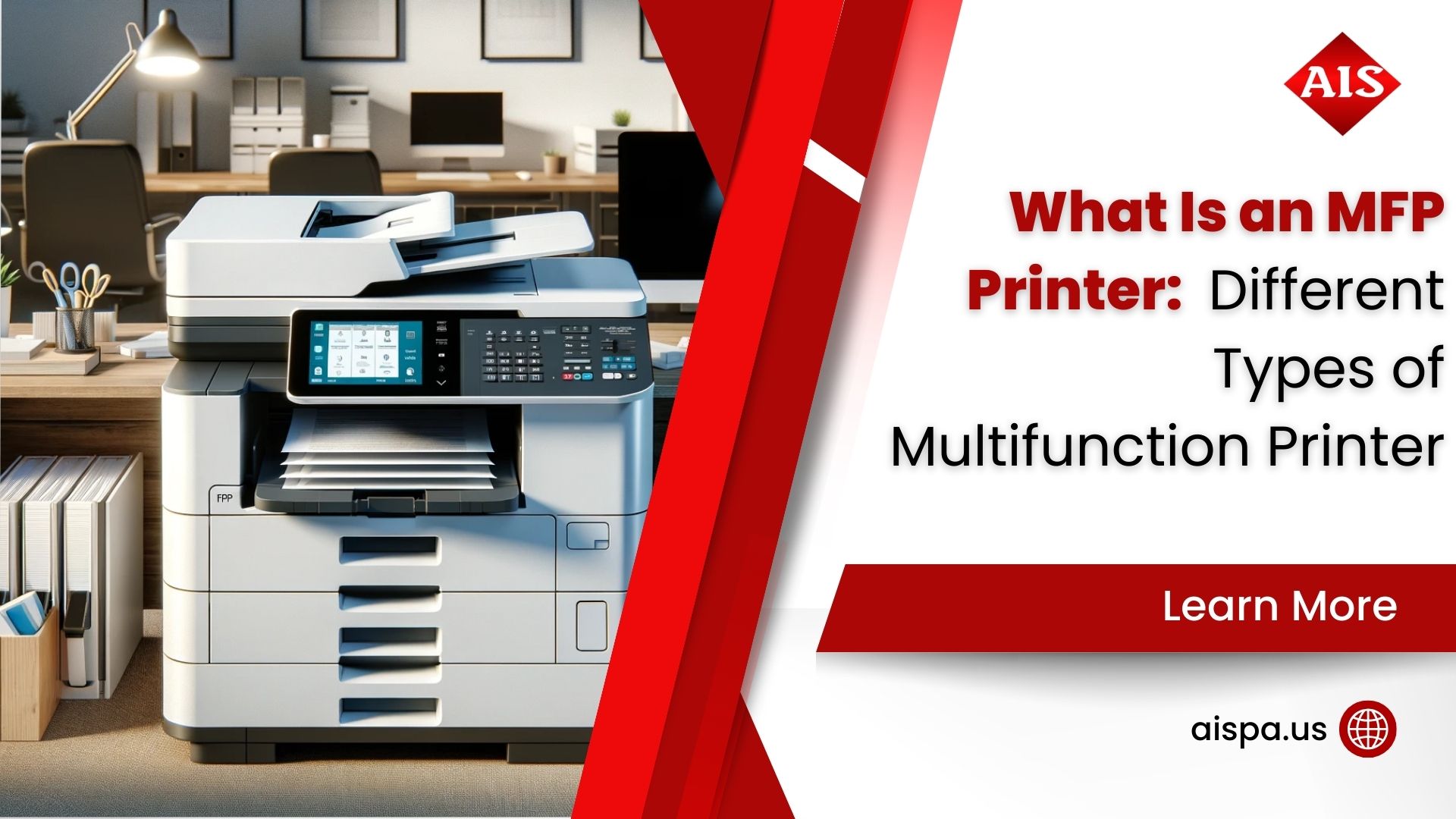
An MFP (multifunction printer) is an office device that combines printing, scanning, copying, and often faxing into one machine. Businesses across Bucks County, Montgomery County, and greater Philadelphia choose MFPs because they reduce equipment costs, save floor space, and simplify document workflows. The right MFP depends on your print volume, color needs, and whether you lease or buy.
What Exactly Is an MFP Printer?
So what does MFP stand for? MFP means multifunction printer, sometimes called an all-in-one printer or multifunction device (MFD). Instead of buying a separate copier, scanner, fax machine, and printer, you get all four capabilities in a single, connected device.
The core functions of any MFP include:
- Printing – produce documents directly from your computer, phone, or cloud storage
- Scanning – digitize paper documents into PDF, JPEG, or searchable formats
- Copying – reproduce documents quickly without a separate copier
- Faxing – send or receive faxes over phone lines or via internet fax (on most business models)
- Document distribution – send scans directly to email, cloud drives, or shared network folders
But here is where it gets interesting for businesses in 2026: modern MFPs are far more than simple copy machines. They are intelligent document hubs that integrate with Microsoft 365, Google Workspace, SharePoint, and cloud storage services. Many models also support mobile printing via AirPrint, Mopria, and dedicated apps, which is critical for hybrid work environments.
For Pennsylvania businesses, Associated Imaging Solutions has supplied, serviced, and leased MFP printers since 1999. Whether you manage a law firm in downtown Philadelphia, a medical practice in Lansdale, or a manufacturing office in Warminster, the right MFP pays for itself quickly.
The Main Types of Multifunction Printers
Not all MFPs are built alike. Choosing the wrong type is one of the most common and costly mistakes office managers make. Here are the major categories you will encounter.
Laser MFPs
Laser MFPs use a laser beam and toner powder to produce sharp, crisp text. They are the gold standard for high-volume office environments. Black-and-white laser MFPs typically cost 1 to 1.6 cents per page to operate, while color laser MFPs cost around 4 to 8 cents per page. If your office prints hundreds or thousands of pages per week, laser is almost certainly the right technology.
Inkjet MFPs
Inkjet MFPs spray microscopic droplets of liquid ink onto paper. They shine at photo-quality color printing and work well for lower-volume offices or creative teams. The tradeoff is higher per-page costs (often 5 to 20 cents for color) and ink heads that can dry out if the device sits idle for days. Business-grade inkjet MFPs from manufacturers like Epson WorkForce or Canon imagePROGRAF have narrowed the gap significantly.
Desktop vs. Floor-Standing MFPs
Desktop MFPs sit on a desk and are designed for individual or small team use, typically handling up to 20,000 pages per month. Floor-standing (or departmental) MFPs are larger units that support 50,000 to 300,000 monthly page volumes, multi-tray paper handling, finishers, and stapling. Most Pennsylvania businesses with 10 or more employees benefit from at least one floor-standing unit.
Production MFPs
Production MFPs are high-speed, high-volume workhorses built for print shops, universities, and large corporate print rooms. Monthly volumes can exceed 1 million pages. If you are comparing production printers vs. office printers, the operational and cost differences are significant.
Inkjet vs. Laser MFP: Which Is Right for Your Office?
The debate between inkjet and laser comes down to volume, quality, and total cost of ownership. Here is a direct comparison to help you decide.
| Factor | Laser MFP | Inkjet MFP |
|---|---|---|
| Print Speed | 25-80+ pages per minute | 10-30 pages per minute |
| Cost Per Page (B&W) | 1-1.6 cents | 3-8 cents |
| Cost Per Page (Color) | 4-8 cents | 5-20 cents |
| Best For | High-volume text documents, invoices, reports | Photo-quality color, lower volume |
| Warm-Up Time | Seconds (most modern units) | Instant |
| Maintenance | Toner replacement, drum units | Ink cartridges, print head cleaning |
| Monthly Volume Ceiling | Up to 300,000+ pages | Up to 20,000 pages (business class) |
| Typical Office Lease | $60-$600/month | $30-$150/month |
For most offices in the Philadelphia metro area printing more than 500 pages per month, a laser MFP will offer a lower total cost of ownership over a three-to-five-year lease. Inkjet makes sense for graphics-heavy work at moderate volumes.
How Much Does an MFP Printer Cost in 2026?
Pricing varies widely based on speed, volume capacity, color capability, and whether you buy or lease. Many Pennsylvania businesses do not realize how much they already spend on printing until they break it down.
| MFP Tier | Purchase Price | Typical Monthly Lease | Best For |
|---|---|---|---|
| Entry-Level Desktop | $300-$900 | $20-$60/month | 1-5 users, light volume |
| SMB Departmental | $1,500-$5,000 | $75-$175/month | 10-25 users, medium volume |
| Mid-Volume Office | $5,000-$12,000 | $150-$350/month | 25-75 users, high volume |
| Enterprise / High-Volume | $12,000-$25,000+ | $275-$600/month | 75+ users, very high volume |
But the lease price is only part of the real number. Businesses typically spend around $725 per employee per year on printing when you include paper, supplies, maintenance, and energy. Print-related expenses can consume 1 to 3 percent of annual revenue. And studies show that 45 to 65 percent of printed pages are discarded on the same day they are printed. A well-chosen MFP combined with a managed print services agreement can cut those hidden costs significantly. You can explore what a copy machine actually costs for a deeper breakdown.
Essential MFP Features for Pennsylvania Businesses
Walk into any office equipment showroom and you will face a wall of specs. Which features actually matter? Here is a practical checklist for 2026 buyers and leasers.
Must-Have Features
- Automatic Document Feeder (ADF) for multi-page scanning
- Duplex (two-sided) printing to cut paper costs
- Network connectivity (Ethernet & Wi-Fi)
- Mobile printing support (AirPrint, Mopria)
- Secure print release (PIN or card authentication)
- Cloud integration (OneDrive, Google Drive, SharePoint)
- Color touchscreen control panel
Advanced Features Worth Considering
- OCR (searchable PDF scanning)
- Encrypted hard drive or data overwrite
- Stapling and booklet-making finisher
- Large-capacity paper drawers (2,000+ sheets)
- Internet fax or eFax capability
- Pull printing across multiple devices
- Remote monitoring and fleet management
Security deserves special attention in 2026. MFPs store document images on an internal hard drive. Without encryption and data overwrite, that drive is a real compliance risk, especially for healthcare providers subject to HIPAA or financial firms operating under PCI-DSS. Ask your dealer whether the device ships with data security features enabled by default, not just listed in the spec sheet.
Leading MFP Brands: Sharp, Ricoh, Konica Minolta, Kyocera, and More
Brand choice affects not just device performance but also the quality of local service and parts availability. Here is how the main players compare for Pennsylvania office environments.
| Brand | Known For | Best Fit | Notable Series |
|---|---|---|---|
| Sharp | Reliability, intuitive UI, energy efficiency | SMBs to enterprise; strong color performance | MX series, BP series |
| Ricoh | Workflow software, document security | Document-heavy offices, healthcare, legal | IM series, MP series |
| Konica Minolta | Color accuracy, bizhub ecosystem | Creative agencies, marketing firms | bizhub C series |
| Kyocera | Long-life components, low TCO | Cost-conscious offices, high-volume | TASKalfa series |
| Canon | Image quality, broad product range | Mixed environments, creative work | imageRUNNER Advance, MAXIFY |
Associated Imaging Solutions works with leading manufacturers and can source, deploy, and service devices from multiple brands across the Philadelphia, Bucks County, and Montgomery County area. Need guidance on which brand fits your print volume and budget? Get a free quote and we will match you with the right device.
How Associated Imaging Solutions Helps Pennsylvania Businesses
Buying or leasing the right MFP is just the beginning. Ongoing support, supply management, and network integration make the real difference in day-to-day productivity.
Free Print Assessment
We audit your current print environment to identify cost savings and right-size your device fleet.
Flexible Leasing
Affordable monthly leases with no large upfront cost, covering hardware, maintenance, and supplies.
Same-Day Service
Local technicians across Bucks County, Montgomery County, and Philadelphia for fast on-site repairs.
Cloud & Network Setup
We configure your MFP for Microsoft 365, Google Workspace, and secure network printing from day one.
Security Configuration
Data encryption, secure print release, and drive overwrite settings configured to your compliance needs.
Managed Print Services
Proactive supply replenishment, remote monitoring, and monthly reporting to keep costs predictable.
Associated Imaging Solutions has served the greater Philadelphia area since 1999. Our team understands the specific needs of Pennsylvania businesses, from small professional offices in Doylestown to multi-location firms across the Delaware Valley. Explore our managed print services or check copier rental options in Philadelphia if you need flexible short-term coverage.
Should You Lease or Buy an MFP in 2026?
This is one of the most common questions we hear from Pennsylvania business owners. The short answer: most businesses with more than 10 employees benefit from leasing. Here is why.
- Cash flow: A lease spreads cost over 36-60 months, preserving capital for core business investment
- Technology refresh: Leasing lets you upgrade to newer models at lease end rather than being stuck with aging equipment
- Bundled service: Most business leases include maintenance and supplies, turning variable costs into a predictable monthly line item
- Tax treatment: Lease payments are typically fully deductible as a business operating expense (consult your accountant for specifics)
- No residual value risk: You are not responsible for reselling outdated equipment at the end of the term
Buying makes sense if you have a very stable, predictable print environment, strong IT resources to manage the device internally, and the capital budget to purchase outright. But for the majority of small to mid-size businesses in Pennsylvania, leasing delivers better total value over five years.
Want to see numbers specific to your situation? Use our online quote tool to compare lease and purchase scenarios side by side.
MFPs for Hybrid Work: Cloud Printing, Mobile Access, and Security in 2026
The office of 2026 is not the office of 2019. With remote and hybrid work firmly established, your MFP needs to serve employees working from home in Lansdale on Tuesday and printing from the Philadelphia office on Thursday.
Modern MFPs address this through several key capabilities. Cloud-connected printing lets users send print jobs from any device, anywhere, with jobs held securely until the user authenticates at the device. This prevents sensitive documents from sitting unattended in an output tray.
Mobile printing via AirPrint and Mopria means iPhones, Android devices, and laptops can print without IT-managed drivers. Direct integration with SharePoint and OneDrive allows users to scan directly to project folders, eliminating manual upload steps and the paper-to-digital bottleneck that slows so many teams down.
From a security perspective, look for MFPs certified by organizations like ENERGY STAR for efficiency and those with Common Criteria or IEEE 2600 security certifications for document protection. The Association for Intelligent Information Management (AIIM) publishes regular guidance on MFP security best practices worth bookmarking for IT policy planning.
Document Management and Workflow Automation with Modern MFPs
One of the biggest shifts in office printing over the past five years is the move from passive output device to active workflow node. Your MFP is no longer just a machine you walk up to and press print. It is now a front-end to your entire document management ecosystem.
Scan-to-Workflow Integration
Modern MFPs can route scanned documents automatically based on rules you define. Scan an invoice and it routes to your accounting folder in SharePoint. Scan a signed contract and it routes to the client record in your document management system. This eliminates the manual drag-and-drop process that wastes time and introduces human error. Legal offices in Montgomery County and healthcare practices across Bucks County are among the heaviest users of these automated routing features, since proper document organization directly affects billing, compliance, and audit readiness.
Optical Character Recognition (OCR)
OCR technology converts scanned paper documents into searchable, editable text files. Without OCR, a scanned contract is just an image: you cannot search for names, dates, or dollar amounts inside it. With OCR, every scanned document becomes instantly searchable. Most business-grade MFPs include OCR scanning either natively or through optional software. The key question to ask your dealer is whether OCR output creates true PDF/A archive files or standard PDFs, since PDF/A is the required format for long-term document archival in many regulated industries.
Pull Printing and Secure Release
Pull printing holds a print job in a secure queue until the user authenticates at the device, typically via PIN, swipe card, or smartphone. The payoff is twofold. First, sensitive documents never sit unattended in the output tray. Second, jobs that were sent and forgotten are never printed at all, cutting paper and toner waste by 20 to 30 percent at many organizations. Pull printing is one of the fastest-payback features you can add to a multi-user environment, and it is standard on most mid-range and enterprise MFPs from Sharp, Ricoh, and Konica Minolta.
Energy Efficiency and Environmental Impact
Pennsylvania businesses are increasingly focused on sustainability targets, and your MFP is part of that story. ENERGY STAR-certified MFPs use 30 to 60 percent less energy than non-certified models, largely through aggressive sleep modes that activate within minutes of idle time. Look for models that meet ENERGY STAR certification and carry recycled toner cartridge programs. Some manufacturers, including Sharp and Kyocera, offer closed-loop toner recycling programs that keep empty cartridges out of landfills. These programs look good in corporate sustainability reports and often carry financial incentives from the state of Pennsylvania for qualifying businesses.
MFP Printer FAQ: Your Questions Answered
Ready to Find the Right MFP for Your Business?
Associated Imaging Solutions has been providing office printing solutions to Pennsylvania businesses since 1999. Providing solutions to make businesses run more productively, more reliably, and more efficiently.
GET A QUOTE
Or call us: (215) 999-8445
Related Posts
— What Is Printer Pooling? Understanding the Basics and Benefits
— The Lifespan of Printers: How Long Do Printers Last