

Production Printers vs Office Printers: Similarities and Differences (Updated 2026)

March 8, 2024
 0 views
 0 comments
Production Printers vs Office Printers: Similarities and Differences (Updated 2026)
A plain-English comparison of high-volume production print equipment and everyday office copiers for Pennsylvania businesses.
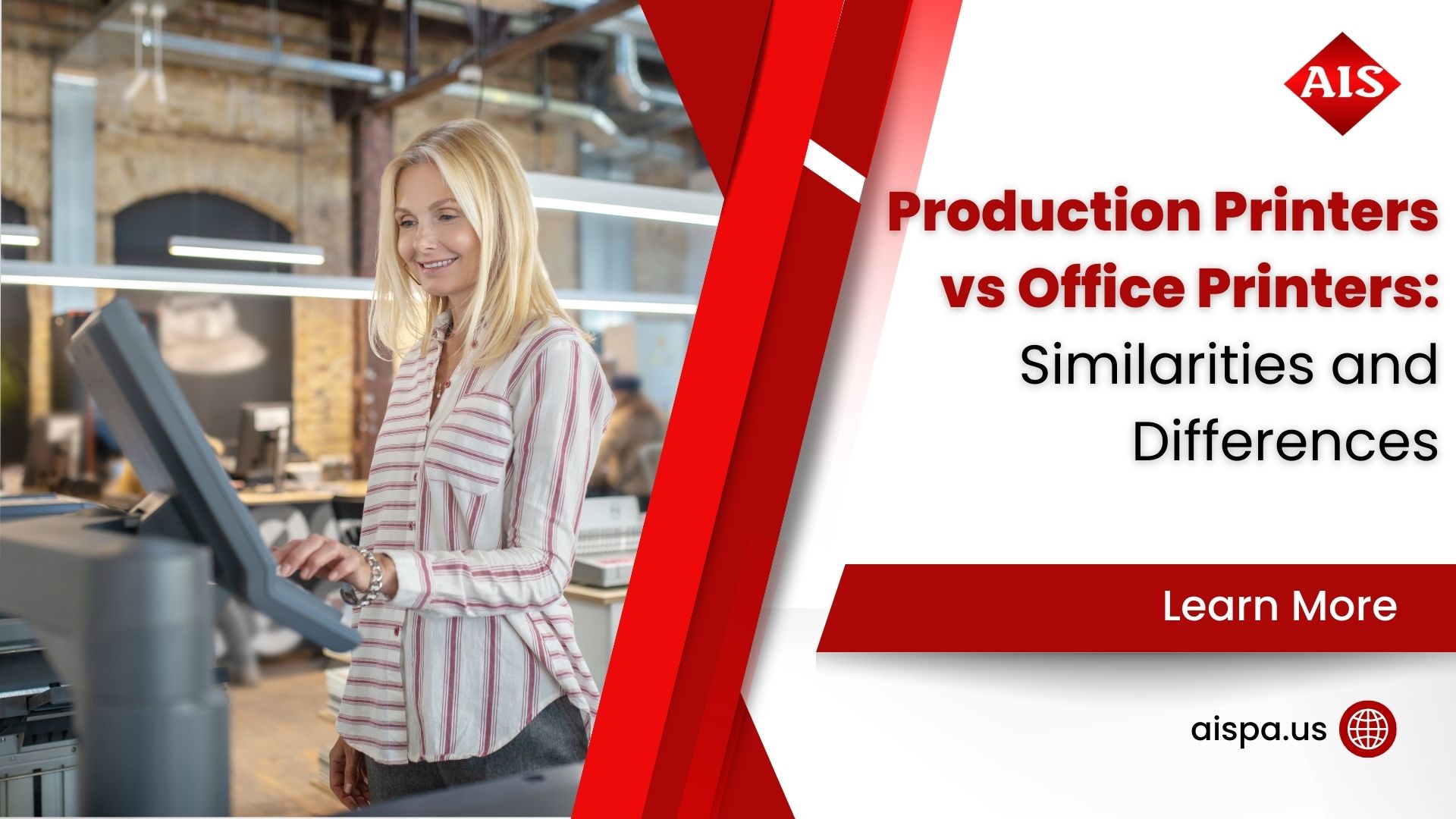
Quick answer: When you weigh production printers vs office printers, the split comes down to volume and purpose. Production printers are built-for-hire workhorses running 50,000 to 275,000 pages a month with press-grade color. Office printers handle routine jobs under 20,000 pages. Pick the machine that matches your real monthly volume, and you avoid paying for capacity you never use.
Start Here
What Actually Separates These Two Machines
Choosing between production printers vs office printers can feel harder than it should. The spec sheets read like a foreign language. But the core idea is simple. One machine is a light-duty helper for a busy team. The other is a small factory running all day.
Production printers, sometimes called digital presses, are industrial devices designed for high-volume output. They crank out professional-grade brochures, booklets, direct mail, and manuals without breaking a sweat. Print shops and in-house marketing departments lean on them hard.
Office printers are the everyday devices you already know. They print reports, invoices, contracts, and the occasional slide deck. They balance cost, footprint, and reliability for a normal office. Most Bucks County and Montgomery County teams run one or two of them per floor.
So which one fits your business? The answer rests on how much you print, what you print, and how fast you need it. Associated Imaging Solutions has helped Philadelphia-area companies answer this question since 1999. And the honest answer is rarely the flashiest machine. It is the right-sized one.
Know Your Volume
Understanding Your Printing Needs First
Before you compare a single model, gauge your real monthly page count. This one number drives almost every other decision. Guess too low and you buy a machine prone to jams under pressure. Guess too high and you overpay for idle horsepower.
Industry data draws a clear line. High-volume printing starts above 20,000 pages a month. Enterprise environments routinely push past 50,000 to 100,000 pages. Top production models carry duty cycles up to 275,000 pages a month and print 65 to 100 pages per minute.
Maximum monthly pages a high-end production printer can handle, versus roughly 20,000 for a typical office device.
Here are the factors worth mapping before you shop:
- Monthly page volume. Count black-and-white and color separately. Color changes the math fast.
- Turnaround needs. Do jobs need to ship same day, or can they wait?
- Media types. Standard paper only, or cardstock, envelopes, and glossy stock too?
- Finishing. Stapling, folding, booklet-making, and hole-punching add real value for some teams.
- Floor space and power. Production units are big and need proper electrical service.
Write those answers down. They turn a confusing showroom pitch into a simple checklist.
The Core Differences
Production Printers vs Office Printers: Side by Side
Now the fun part. Let’s put the two categories next to each other. This table sums up the practical gaps our Warminster team explains to clients every week.
| Factor | Production Printers | Office Printers |
|---|---|---|
| Monthly volume | 50,000 to 275,000+ pages | 2,000 to 20,000 pages |
| Speed | 65 to 100+ pages per minute | 20 to 55 pages per minute |
| Print resolution | 2400 DPI and higher | 600 to 1200 DPI |
| Color accuracy | Press-grade, calibrated | Good for internal use |
| Media range | Cardstock, envelopes, coated stock, banners | Mostly standard letter and legal |
| Finishing options | Booklet, fold, staple, trim, punch | Basic staple or none |
| Footprint | Large, dedicated space | Compact, desktop or small floor unit |
| Typical buyer | Print shops, marketing teams, agencies | General offices, clinics, law firms |
| Cost per color page | Lower at scale | Higher per page, lower upfront |
Notice the pattern? Production machines win on scale, quality, and flexibility. Office machines win on cost, size, and simplicity. Neither is better in a vacuum. They just serve different jobs.
Where They Overlap
The Similarities People Forget
These machines are not total opposites. They share more DNA than the spec sheets suggest. And knowing the overlap helps you avoid overbuying.
- Both are multifunction capable. Many models print, scan, copy, and fax from one unit.
- Both connect to networks. Cloud printing, mobile release, and secure pull printing show up on both.
- Both need managed supplies. Toner, drums, and maintenance kits keep either machine healthy.
- Both benefit from monitoring. Fleet software tracks usage and flags issues on both classes.
- Both can be leased. You do not have to buy either one outright, which protects cash flow.
So the choice is not office versus industrial in some dramatic sense. It is really about matching horsepower to workload. A busy law firm might thrive on a strong office copier. A regional print shop needs the production beast. And plenty of companies run both.
The Money Question
Cost, Cost Per Page, and Total Ownership
Sticker price tells only part of the story. The number worth watching is cost per page over the life of the machine. This figure folds in toner, service, and downtime. And it often surprises people.
Current benchmarks help frame it. Color laser output commonly runs a few cents per black page, with color higher depending on cartridge yield. Standard inkjet color pages can hit 15 to 30 cents each. Production printers push the per-page cost down at volume, which is exactly why high-output shops favor them.
Estimated size of the managed print services market in 2026, on track for roughly $76.8B by 2030 as businesses chase lower print costs.
Here is a simplified way to compare true cost:
| Cost element | What to check | Why it matters |
|---|---|---|
| Hardware | Purchase or lease payment | Production units cost far more upfront |
| Cost per page | Black and color separately | Drives your real monthly spend |
| Service contract | Response time and parts coverage | Downtime is expensive at scale |
| Supplies | Toner yield and drum life | High-yield cartridges cut per-page cost |
| Energy | Power draw and Energy Star rating | Big machines add to the utility bill |
Want a shortcut? Multiply your monthly volume by a realistic cost per page. Then compare it to a lease quote. For a fair comparison you can weigh a copier lease agreement against outright purchase before signing anything.
Lease or Buy
Should You Lease or Purchase?
This trips up a lot of owners. Both routes have merit. And the right call depends on cash flow, tax strategy, and how fast the technology moves in your field.
When leasing makes sense
- Predictable monthly costs appeal more than a big upfront hit.
- Upgrading to newer models every few years keeps you current.
- Bundling service and supplies into one payment simplifies budgeting.
- Protecting working capital for growth is a priority.
When buying makes sense
- You have the capital and want to own the asset outright.
- Your volume is steady and the machine will run for many years.
- You prefer no long-term contract obligations.
There is no universal winner here. A growing Montgomery County agency often leases to stay current. A stable manufacturer with steady volume might buy. Associated Imaging Solutions walks clients through both math paths so the decision is grounded, not guessed. You can start with a quick look at our office equipment solutions and go from there.
Print Quality
How Much Does Print Quality Really Differ?
Quality is where production printers flex hardest. If you sell a product with your printed materials, this matters a lot. If you print internal memos, it matters far less.
Production presses hit 2400 DPI and beyond. They hold color calibration across thousands of pages, so page one matches page ten thousand. This consistency is the whole point for marketing collateral, photo books, and brand-critical work.
Office printers produce clean, readable output, and it looks great on reports and proposals. But push them into glossy brochures at volume, and color can drift. Ask yourself one honest question. Will a client judge your business by this printout? If yes, lean toward production quality. If no, an office copier is plenty.
For a deeper look at how paper choice affects the final result, our guide on types of paper for printing pairs nicely with this decision. The right stock can make an office printer punch above its weight. According to ENERGY STAR, efficient imaging equipment also trims long-term operating costs, which is worth factoring into any quality-versus-price call.
Real-World Fit
Which Businesses Need Which Machine?
Let’s make this concrete. Categories are easier to picture with examples pulled from the kind of Philadelphia-area clients we serve.
Great fits for production printers
- Commercial print shops running daily jobs for other businesses.
- Marketing agencies producing brochures, mailers, and event materials.
- Schools and universities printing course packs and bulletins.
- Nonprofits managing large fundraising mailings.
Great fits for office printers
- Law firms printing contracts, briefs, and case files.
- Medical practices handling records and patient forms.
- Accounting offices producing statements and returns.
- Small businesses with routine daily documents.
And here is the twist many owners miss. Plenty of mid-size companies run both. A production unit handles big batch jobs. Office copiers cover the daily grind on each floor. This hybrid setup is common, and it often costs less than forcing one machine to do everything. If you are weighing a fleet, our overview of printer pooling shows how shared devices cut waste.
How We Help
How Associated Imaging Solutions Helps
Picking hardware is only step one. Keeping it running, supplied, and secure is the real work. Here is how our Warminster team supports Pennsylvania businesses across the full print lifecycle.
Volume Assessment
We measure your true monthly output so you buy the right capacity, not too much.
Lease Structuring
Flexible lease terms protecting cash flow and bundle service and supplies.
On-Site Service
Fast local response across Bucks and Montgomery County keeps downtime low.
Supply Management
Automatic toner delivery so you never scramble for cartridges mid-job.
Secure Printing
Pull printing and access controls that protect sensitive documents.
Fleet Monitoring
Usage tracking to flag issues early and controls print spend.
The goal is simple. We want your print environment to run more productively, more reliably, and more efficiently. This is the whole reason Associated Imaging Solutions exists.
Buying Tips
Smart Questions Before You Sign
Ready to move? Slow down for five minutes first. A few sharp questions save real money and regret. Ask any vendor these before you commit.
- What is the true cost per page, black and color, over the contract?
- What is the guaranteed service response time in my area?
- Are supplies and maintenance included, or billed separately?
- What happens at lease end, and are there hidden buyout fees?
- Does the machine match my real volume, or the volume they hope I hit?
Good partners answer plainly. If a rep dodges the cost-per-page question, treat it as a warning sign. Industry groups like AIIM stress that document workflow costs hide in the details, so transparency up front matters. For broader context on market direction, research from firms tracking the sector shows steady growth toward smarter, subscription-based print, per Mordor Intelligence.
Common Mistakes
Three Buying Mistakes to Avoid
Most regrets trace back to a handful of avoidable slips. We see them again and again with new clients who bought before they called us. Learn from them and save yourself the headache.
Buying for peak volume, not average
Some months are busy. Most are not. Sizing a machine for your single busiest week means paying for capacity you rarely touch. Base the decision on your typical month, then plan overflow jobs another way. Your budget will thank you.
Ignoring the service contract
The cheapest lease can hide the priciest downtime. A slow service response costs far more than a few dollars saved on the monthly payment. So read the response-time terms before you sign, and ask what counts as a covered repair.
Forgetting about supplies
Toner and drums add up quietly. A machine with a low sticker price but stingy cartridge yields can cost more over three years than a pricier unit with high-yield supplies. Always run the per-page math, not just the payment. For help sorting genuine from third-party options, our note on choosing a compatible toner cartridge is a useful start.
Dodge these three, and you sidestep the vast majority of buyer regret. And if you want a second set of eyes, our team reviews quotes for free.
Security & Workflow
Do Not Overlook Security and Workflow
Speed and quality grab the headlines. But security and workflow quietly decide whether a machine helps or hurts your team. Both production and office devices touch sensitive data every day. So the guardrails around them matter more than most buyers expect.
Think about what flows through a shared printer. Contracts, medical records, payroll, client lists. A device left wide open is a quiet risk. Modern machines fix this with secure release, where a job only prints after you tap a badge or enter a code. Nothing sits in the output tray for a stranger to grab.
Workflow features save time in a different way. Scan-to-email, scan-to-folder, and cloud connectors turn a copier into a document hub. A single scan can route an invoice straight to accounting. For teams drowning in paper, this is where real productivity gains hide.
- Secure pull printing. Jobs release only when the right person is standing there.
- User authentication. Badge, PIN, or login controls who prints color or high volume.
- Audit trails. Track who printed what, which helps with compliance.
- Cloud integration. Connect to the storage and apps your team already uses.
Production environments add another layer. Automated job ticketing, color management, and variable data printing let a shop run complex batches without manual babysitting. If your work involves personalized mailers or numbered documents, ask about these tools directly. For companies worried about broader data safety, our piece on corporate data backup pairs well with a secure print setup.
Local Angle
Why Local Support Matters in Pennsylvania
Here is a factor spec sheets never mention. Who shows up when the machine breaks? A production printer down for two days can stall an entire print schedule. And even an office copier outage frustrates a whole floor. Response time is not a footnote. It is central to the value you get.
National vendors often route service through call centers and third-party contractors. Local partners work differently. Associated Imaging Solutions keeps technicians close to Philadelphia, Bucks County, and Montgomery County, so help arrives fast. When you are in Warminster or Doylestown, a nearby team beats a ticket in a distant queue every time.
Local knowledge helps in quieter ways too. We understand the printing patterns of regional law firms, medical groups, schools, and manufacturers. So our recommendations fit how Pennsylvania businesses actually work, not a generic national template. Want to compare providers first? Our guide to finding copier companies near you lays out what to look for.
Associated Imaging Solutions has served the Philadelphia region, giving local businesses a print partner who answers the phone and shows up.
So when you weigh two similar quotes, look past the hardware. The service relationship behind the machine often matters more over five years than any single spec. And that is where a committed local partner earns its keep.
FAQ
Frequently Asked Questions
What is the main difference between a production printer and an office printer?
Volume and purpose. Production printers handle 50,000 to 275,000 pages a month with press-grade color, while office printers are built for routine jobs under 20,000 pages. One is a small factory, the other a daily helper.
Do production printers cost more to run than office printers?
Not per page at high volume. Production printers usually deliver a lower cost per print, especially for color, thanks to larger toner capacity. But they cost far more upfront, so the savings only show up when your volume is high.
Can an office printer handle occasional high-volume jobs?
For a short burst, yes. But run it near its ceiling every day and you risk jams, wear, and early failure. If big jobs are routine, a production unit or a hybrid setup serves you better.
What monthly volume justifies a production printer?
Most experts point to output above 20,000 to 50,000 pages a month as the tipping point. Beyond it, the lower cost per page and heavy-duty design of a production machine start to pay off.
Is it better to lease or buy a printer?
It depends on cash flow and how fast you want to upgrade. Leasing spreads cost, bundles service, and keeps you current. Buying suits stable volume and owners who want the asset outright. Both can be smart with the right numbers.
How much better is production print quality?
Production presses hit 2400 DPI and hold color calibration across long runs. That matters for brochures, photo books, and brand work. For internal reports, an office printer looks just fine.
Do both machine types support scanning and copying?
Yes. Many models in both classes are multifunction, so they print, scan, copy, and often fax from one device. Network features like mobile release and secure pull printing appear on both too.
What media can production printers handle that office printers cannot?
Quite a bit more. Production units run cardstock, envelopes, coated stock, and even banners, with finishing like booklet-making and folding. Office printers mostly stick to standard letter and legal paper.
Can I run both a production printer and office printers together?
Absolutely, and many mid-size companies do. The production unit tackles batch jobs while office copiers cover daily work on each floor. This hybrid approach often costs less than forcing one machine to do everything.
Does Associated Imaging Solutions serve my area?
Yes. We are based in Warminster and serve Philadelphia, Bucks County, Montgomery County, and the surrounding Pennsylvania region. We have supported local businesses with print and copier solutions since 1999.
How do I measure my true printing costs?
Multiply your monthly page volume by a realistic cost per page for black and color, then add service, supplies, and energy. Compare that total to any lease quote. The full picture, not the sticker price, tells the real story.
Not Sure Which Printer Fits Your Business?
Let Associated Imaging Solutions size the right machine for your real volume and budget. Providing solutions to make businesses run more productively, more reliably, and more efficiently.
(215) 999-8445
Serving Philadelphia, Bucks County & Montgomery County since 1999.
Related Posts
— How Much Is a Copy Machine? Lease vs. Buy Costs (Updated 2026)
— How Many Pages Does an Ink Cartridge Print? (Updated 2026)