

Copier Leasing in University City, Philadelphia

March 3, 2026
 0 views
 0 comments
 Leasing copiers offers a smart alternative to buying — especially in University City, where universities, research labs, startups, and small businesses share shifting print needs. This guide walks through how leasing works for local organizations, highlights lease features that address semester peaks and distributed work patterns, and explains how managed print services (MPS) cut waste and downtime. You’ll get clear comparisons of device categories and lease terms, practical advice for matching equipment to use-cases, and step-by-step instructions for requesting a customized lease quote in University City. Throughout, we keep the focus on the technical and financial details you need to decide whether leasing fits your department, lab, or small business.
Why lease a copier for your University City organization?
Leasing turns a large upfront purchase into a predictable monthly expense, which helps University City organizations manage cash flow through semester cycles and project bursts. A lease shifts ownership risk and most maintenance responsibilities to the lessor while keeping your team on reliable, up‑to‑date equipment — reducing downtime and making technology refreshes routine. The real advantage locally is flexibility: departments, student groups, and startups can scale capacity for busy terms without owning idle machines the rest of the year. Below we outline the core benefits and show how they map to common local needs, starting with the biggest: better cost predictability and lower capital outlay.
Key benefits of leasing a copier in University City
Leasing lowers initial capital requirements and replaces uncertain, one‑time purchases with steady monthly payments that fit departmental budgets. That structure helps absorb printing spikes tied to semesters or research projects while preserving working capital for other priorities. Leases also guard against obsolescence and give access to modern features — secure cloud scanning, integrated workflows, and updated firmware — without the headache of asset disposal. Most agreements include maintenance and service, cutting IT workload and speeding repairs so labs and offices stay productive. For organizations that need flexibility and regular technology refreshes, leasing becomes a strategic choice rather than merely a procurement option.
How leasing supports local businesses, labs, and campus groups
University City stakeholders print very differently: research groups may need heavy monochrome output for reports, student organizations might print posters and one‑off materials, and small businesses often rely on color multifunction machines for client work. Leasing lets each group pick devices matched to volume and feature needs — and change those choices as projects and events come and go. The result: lower total cost for short‑to‑midterm needs, reduced IT overhead, and the ability to bring in specialty devices temporarily for events or grant‑funded work. Understanding these patterns makes it easier to pick the right lease structure, which we explore in the device and term comparisons that follow.
What copier leasing solutions does Associated Imaging Solutions offer in University City?
Leasing packages range from short‑term rentals to multi‑year agreements and can include maintenance, supplies management, and periodic upgrades — features that fit University City’s mix of academic and commercial needs. Associated Imaging Solutions (AIS) is a regional partner known for flexible terms, responsive local service, and access to major manufacturers such as Ricoh and Sharp, commonly used in multifunction and high‑volume settings. Below is a practical comparison of device categories, typical lease lengths, monthly cost bands, and common service inclusions to help you match needs to offerings.
The device and lease comparisons below illustrate common configurations by category (not by specific model) and show how term length, monthly cost ranges, and included services typically align with University City use‑cases.
Use this table to balance device capabilities against monthly cost and maintenance coverage when choosing a lease. The next section helps you pick brands and models that match your volume and workflow requirements.
Which copier brands and model categories are typically available to lease in University City?
Local providers commonly stock major brands that serve distinct needs: Ricoh and Sharp are frequent choices for multifunction fleets that require robust scanning, finishing, and security. Brand categories map to workflows — Ricoh and Sharp suit departments needing reliable network scanning and document management, while wide‑format machines support poster printing and design studios. When choosing a model, evaluate pages‑per‑minute, monthly duty cycle, scan workflows, and security features to meet peak demand and campus authentication requirements. Picking by functional fit rather than feature overload reduces the risk of paying for capabilities you’ll never use.
What flexible lease terms and maintenance plans are available?
Leases can be short rentals for projects or multi‑year agreements that include scheduled upgrades and full‑service maintenance, so you can match contract length to funding cycles and academic terms. Maintenance plans typically cover parts and labor, preventive visits, and consumable management; service levels define response expectations to prioritize uptime for high‑use departments. AIS tailors terms by sector, offering equipment swaps or upgrades as needs evolve so labs and startups maintain productivity without long, inflexible commitments. Knowing these options makes it easier to decide between a short rental and a long lease with inclusive maintenance.
How can Managed Print Services improve your leasing experience in University City?
Managed Print Services (MPS) reduce print costs, tighten security, and streamline workflows by centralizing device monitoring, automating supplies, and delivering actionable usage reports. Device telemetry and policy controls let you right‑size the fleet, enforce secure printing, and cut waste — especially useful where printing patterns vary across semesters and projects. MPS can shift capacity proactively, flag abnormal usage, and provide analytics that lead to smarter lease decisions. Below we outline the measurable MPS components and their direct benefits, then explain how a local provider typically implements them.
Benefits of Managed Print Services for University City organizations
MPS produces measurable savings through consolidation, usage monitoring, and better supplies procurement, lowering per‑page costs and the time spent on printer support. Security gains include secure release printing, user authentication, and firmware updates that reduce data exposure in shared environments like labs and offices. Operationally, proactive monitoring schedules maintenance based on real device metrics rather than waiting for failures, which helps keep semester workflows on track. Together these improvements deliver clearer reporting, a lower total cost of ownership, and more predictable printing budgets for University City stakeholders.
The table shows how specific MPS elements translate into measurable outcomes. The next paragraph summarizes a typical local rollout.
How AIS typically implements MPS locally
Local MPS work usually starts with an on‑site assessment to inventory devices, map usage patterns, and identify workflow bottlenecks. From there we deliver a consolidated proposal recommending device counts and lease structures that match observed needs. Implementation includes device optimization — installing secure print drivers, default duplex and grayscale policies, and fleet consolidation when it makes sense — followed by continuous monitoring and reporting to validate savings and tweak thresholds. Associated Imaging Solutions bundles local service and tailored leasing terms so hardware and ongoing optimization stay aligned with actual usage in University City.
How to get a copier lease quote and local support in University City
To prepare a quote, providers need specific usage and workflow details so they can size equipment and recommend suitable terms. Typical inputs are monthly page volumes, color vs. B&W split, required features, and preferred lease length. The process is iterative: an initial assessment produces a recommended device mix and cost ranges, then options are refined after stakeholders confirm budgets, service preferences, and any integrations like campus authentication or cloud workflows. Below is a step‑by‑step guide to requesting a customized quote and what to expect for response times and local support.
- Gather usage data: Provide monthly page counts, color vs. B&W split, peak periods, and device locations.
- List required features: Note finishing, scan‑to‑cloud, secure release, and finishing needs like stapling.
- Set term preferences: Indicate whether you prefer a short rental, a 24–36 month lease, or a longer arrangement.
- Share budget ranges: Provide any monthly or capital limits so proposals align with funding cycles.
These inputs help providers build accurate proposals. Below we explain typical timelines and what local support looks like.
What to expect when requesting a customized copier lease quote
After you submit usage and feature requirements, a provider will usually perform a remote or on‑site assessment to confirm volumes and identify integration points that affect pricing. Expect a written proposal that outlines device categories, lease terms, monthly cost bands, and included services like maintenance or supply management; initial proposals typically arrive within a few business days to a week, depending on assessment complexity. Negotiations can refine service levels or swap device categories to balance cost and capability. Once terms are agreed, the provider schedules delivery, installation, and any network or campus integrations. Providing accurate usage data up front speeds the process and yields proposals that reflect true total cost.
How AIS supports customers locally in University City
Local service focuses on fast on‑site response, dedicated account oversight, and technicians who understand regional needs to minimize downtime for departments and small businesses. Associated Imaging Solutions highlights local customer service and flexible leasing as core strengths, pairing major brand equipment with regionally focused support that adapts as academic cycles change. Standard local support includes scheduled preventive maintenance, expedited parts replacement, and periodic reviews to right‑size the fleet and control costs. Choosing a provider with local technicians and clear SLAs helps keep mission‑critical printing workflows running in University City.
Common questions about copier leasing in University City
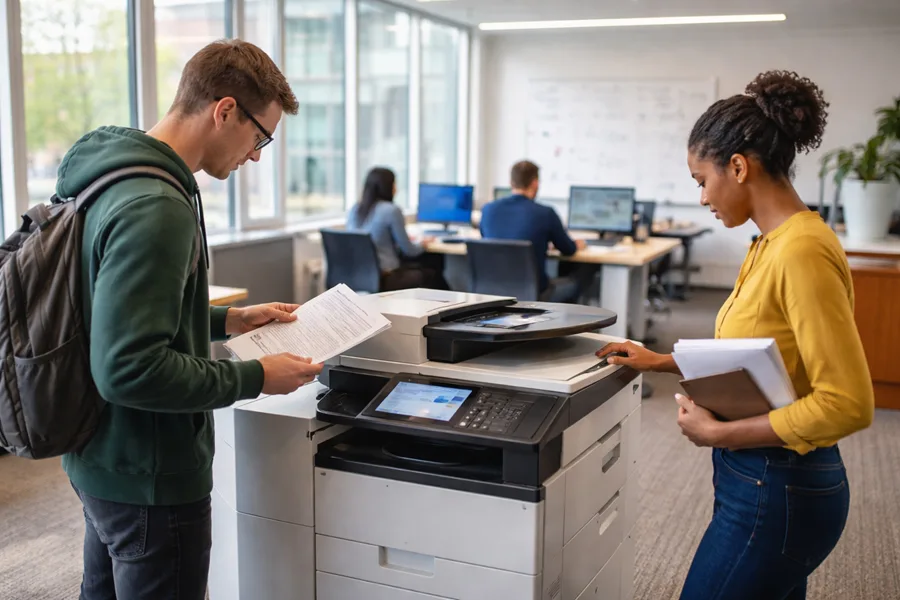
Decision‑makers often ask about price ranges, whether to lease or buy, contract lengths, and which services are included. Below are concise, scannable answers to those common questions, followed by a short leasing vs. buying comparison to help small businesses choose the best procurement path.
How much does copier leasing cost in University City?
Monthly lease costs depend on device category, color capability, and service level. Typical ranges run from the low hundreds for basic multifunction machines to several hundred for high‑volume or wide‑format devices. Key cost drivers are monthly page volume, color percentage, finishing and scanning requirements, lease term length, and whether maintenance and supplies are included. Short‑term rentals carry higher monthly rates than longer leases, which spread cost over time; inclusive maintenance raises monthly fees but reduces unpredictable repair expenses. Provide accurate volume and feature needs to prospective lessors for the most reliable estimates and ask for total cost of ownership comparisons where available.
- Factors that commonly affect monthly lease cost:
Monthly page volume and peak usageColor versus monochrome mixRequired finishing, scanning, or wide‑format capabilityLength of lease and whether maintenance/supplies are included
These are the primary cost drivers to keep in mind as you compare options.
Is leasing better than buying for small businesses in University City?
Leasing usually makes sense when you want to preserve capital, expect technology changes, or have variable printing demands — it delivers predictable monthly expenses and easier upgrades. Buying can be smarter when your volume is steady and low, you want long‑term ownership, and you can manage maintenance internally to reduce lifetime costs. A hybrid approach is common: lease larger, high‑capacity devices and own smaller desktop printers for day‑to‑day tasks. Use these criteria to decide which path best fits your financial and operational goals.
- Lease when: cash preservation and technology flexibility are priorities.
- Buy when: you need long‑term cost minimization and have stable demand.
- Hybrid approach: combine leased high‑capacity devices with owned desktop printers for predictable office tasks.
This checklist helps small businesses align procurement with their priorities.
Leasing vs. Buying Scientific Instruments: Advantages for Academic Institutions
The advantages and costs of leasing versus buying scientific instruments for academic core facilities
2. The ever‑increasing speed of technological development has made leasing, in its various forms, an attractive strategy for procuring a wide range of products. Renewal programs are built into mobile phone contracts, employers lease computer hardware and software for their employees, and the number of drivers who lease their car continues to increase. In contrast, most research institutions still purchase high‑tech scientific equipment. Here, we examine the advantages of leasing scientific research instruments and provide an example of a successful implementation of a lease‑based procurement strategy.
To buy or to lease: The advantages and costs of leasing versus buying scientific instruments for academic core facilities, Y Wang, 2020
Latest trends and eco‑friendly options in copier leasing for University City
Three trends are shaping leasing decisions: hybrid work is changing where and when people print, cybersecurity is a top‑line requirement for shared devices, and sustainability is increasing demand for energy‑efficient machines and consumable recycling. Leasing supports sustainability by enabling regular refreshes to more efficient models and bundling recycling and supplies management into service agreements. Below we cover how hybrid work affects leasing needs and which green options to prioritize when structuring local leases.
How are hybrid work models changing copier needs in University City?
Hybrid schedules reduce steady daily print volume but create uneven peaks and more distributed print locations as staff alternate between remote and on‑site days. The practical response is to choose leases with scalable capacity, short‑term add‑ons, or flexible equipment reassignment, and to rely on cloud scanning and secure release to support distributed workflows. Security features — user authentication and encrypted scan‑to‑cloud — become more important when devices handle a mix of personal, academic, and research data. Designing leases around flexibility and cloud integration keeps equipment aligned with shifting hybrid patterns.
What eco‑friendly copier leasing options does AIS offer locally?
Eco‑focused leasing prioritizes energy‑efficient devices, reduced consumable use, and recycling programs that lower environmental impact and support institutional sustainability goals. Associated Imaging Solutions highlights green options in its leasing portfolio, favoring energy‑saving models and supply‑recycling programs that cut waste. When evaluating eco leases, look for Energy Star or manufacturer efficiency ratings, toner recycling, and default duplex/grayscale policies to reduce paper. A sustainability‑minded lease helps University City organizations meet environmental targets while keeping printing costs under control and simplifying end‑of‑life handling.
Frequently Asked Questions
What should I consider when choosing a copier lease in University City?
Focus on monthly print volume, color versus black‑and‑white mix, and must‑have features such as scan‑to‑cloud, secure release, or finishing options. Match lease length to your budget and funding cycles, and confirm which services — maintenance, supplies, or support — are included. These factors together determine monthly cost and overall convenience, so prioritize what matters most to your workflows.
How can I make sure a copier lease keeps up with changing needs?
Work with a provider that offers flexible terms and equipment swap or upgrade options. Short‑term rentals or add‑on capacity for peak periods help in dynamic settings like University City. Pair leasing with managed print services (MPS) so analytics and monitoring guide fleet adjustments based on real usage, not guesswork.
What environmental benefits come from leasing copiers?
Leasing supports sustainability by making it easier to adopt energy‑efficient models and by including recycling for consumables and end‑of‑life equipment. Green lease options often encourage duplex defaults and reduced color printing, helping lower paper and toner use. Responsible disposal and toner recycling in lease agreements reduce landfill impact.
How does copier leasing affect cash flow for local businesses?
Leasing converts large one‑time purchases into predictable monthly operating expenses, freeing capital for other needs. That stability is useful for academic departments and startups with variable budgets, allowing them to scale printing capacity without tying up funds in equipment purchases.
What happens during the lease negotiation process?
Expect an initial assessment of your print needs followed by a written proposal with device options, lease terms, and costs. Be ready to discuss budget, required features, and service expectations. Negotiations often refine service levels or device choices until cost and capability are balanced to your satisfaction.
Leases are generally predictable, but watch for fees like charges for exceeding monthly page limits, extra costs for optional features, or penalties for early termination. Confirm what maintenance and supplies are included so there are no surprises. Read contracts carefully and ask for clear examples of potential overage or penalty scenarios.
How do managed print services enhance a copier lease?
MPS complements leasing by providing centralized monitoring, automated supply ordering, and usage analytics that lower costs and improve uptime. With MPS you get proactive maintenance, better cost allocation, and recommendations to right‑size your fleet — all of which make a lease more efficient and easier to manage.
Related Posts
— Managed Print Services in Delaware Valley

— Managed Print Services for Philadelphia Businesses