

Copier Leasing in Northeast Philadelphia

February 26, 2026
 0 views
 0 comments
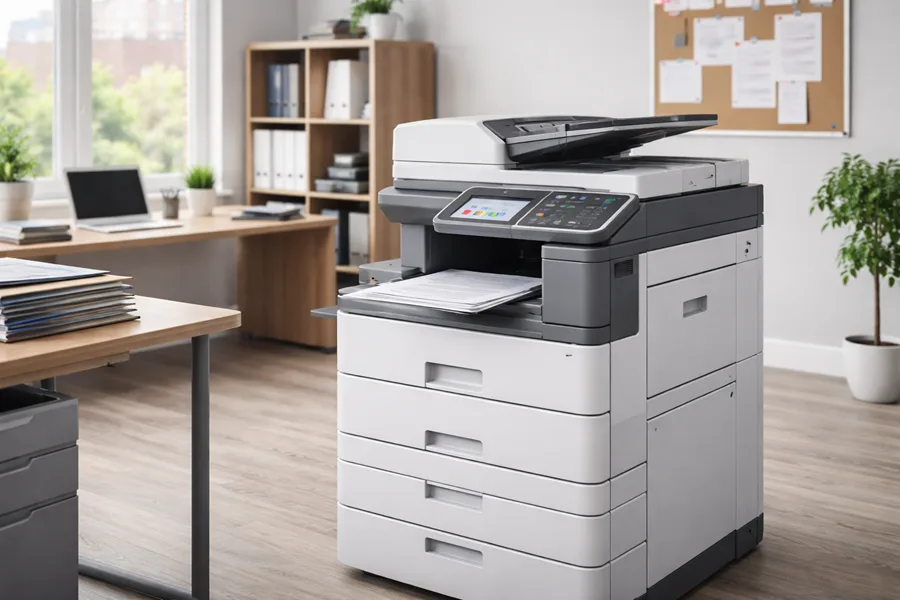
Leasing a copier in Northeast Philadelphia gives businesses flexible access to modern office equipment without a big upfront investment. This guide walks through what copier leasing looks like, how lease costs are structured, and why local companies choose leases to protect cash flow, stay current with technology, and simplify maintenance. Small and mid-size offices often face variable print volumes and aging hardware that slow teams down; leasing turns a one-time purchase into a predictable operating expense and can include service and fleet management.
Below you’ll find the main leasing benefits, the copier types available locally, a straightforward lease‑versus‑buy comparison, an overview of managed print services, local repair and maintenance notes, and clear next steps to request a quote. Throughout the guide we point to local service options in Philadelphia and Northeast Philadelphia and list the information vendors need for an accurate estimate. If you handle office equipment, printing workflows, or procurement, this resource will help you pick the right leasing solution for your business.
Key Benefits of Copier Leasing for Northeast Philadelphia Businesses
Leasing a copier gives predictable monthly costs, access to current features, and bundled service options that reduce downtime and administrative work. By converting an upfront capital purchase into an operating expense, leases preserve cash and make budgeting simpler, while allowing scheduled upgrades as security and functionality requirements change. Local vendors often include installation, remote monitoring, and maintenance, which lowers total cost of ownership and keeps staff productive. Below are the main advantages to weigh when considering a copier lease for a Northeast Philadelphia office.
- Predictable monthly payments that stabilize cash flow and budgeting.
- Access to up-to-date technology and upgrade paths without full replacement costs.
- Bundled maintenance and service to cut unexpected repair expenses.
- Possible tax and accounting benefits when handled as an operating expense.
These advantages make leasing especially appealing to growing organizations and offices that need flexible equipment strategies. The next section explains how those cost savings typically add up.
This table shows how leasing shifts cost and risk from a single purchase to an ongoing, service‑oriented agreement — a model that benefits Northeast Philadelphia employers managing tight IT budgets and changing print needs.
How Leasing Can Save Money Compared to Buying
Leasing reduces initial capital outlay and often bundles maintenance, turning uncertain repair and replacement costs into a steady operating line item. Monthly lease payments frequently cover the device plus basic service and sometimes toner, so businesses avoid unexpected bills and preserve credit capacity for revenue‑driving projects. Savings depend on monthly volume, color versus black‑and‑white needs, and contract terms, so estimate expected pages and service needs before signing.
Leases also simplify accounting: operating leases often keep equipment off the balance sheet, while purchases become fixed assets that depreciate and need disposal planning. These accounting differences matter most to firms that prioritize predictable costs and simpler budgeting; the next section outlines the typical maintenance and support included with leases and how those inclusions affect value.
Maintenance and Support Typically Included in Copier Leases
Most leases include scheduled preventative maintenance, remote monitoring, and on‑site service visits, and some plans also cover parts and toner. Preventative service usually includes inspections, firmware updates, and consumables checks to reduce breakdowns and extend useful life. Remote monitoring sends meter reads, supply levels, and error alerts to the provider so issues can be addressed before they interrupt work. Coverage varies — some leases offer unlimited print plans, others bill for excess pages or supplies — so review contract inclusions carefully.
Knowing what’s covered and what’s extra helps you avoid unexpected costs; the next section describes the types of copiers available for lease in Northeast Philadelphia and how to match device classes to business needs.
Which Copier and Printer Types Are Available to Lease in Northeast Philadelphia?
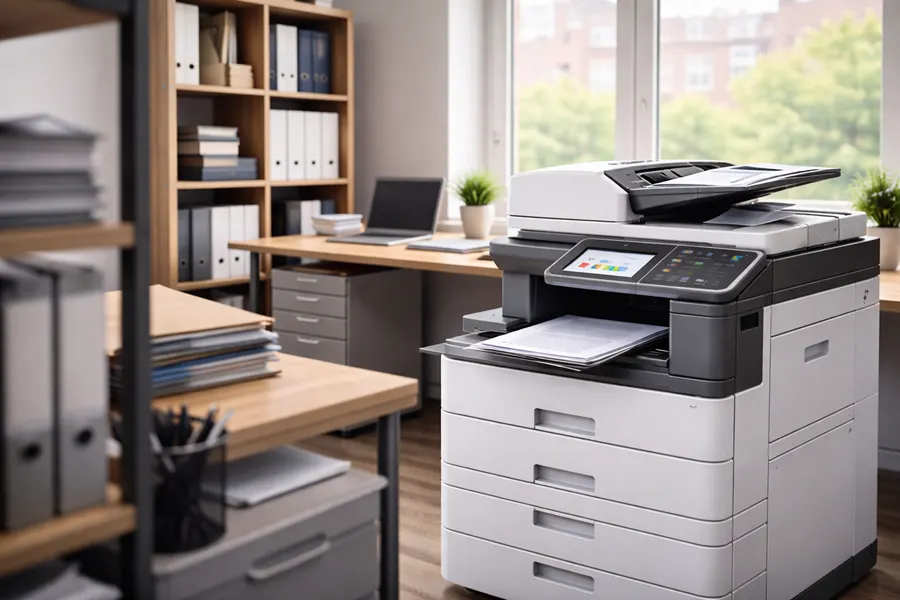
Businesses in Northeast Philadelphia can lease a range of devices — from compact desktop printers to multifunction printers (MFPs), color copiers, black‑and‑white production units, and wide‑format machines — each designed for different workflows and volumes. These device classes vary by speed, paper handling, finishing options, and cloud integration, so the best model depends on reception areas, legal offices, print shops, or branch locations. Match monthly page volume, features like duplexing or scan‑to‑cloud, and security requirements to the right device class to avoid overspending. Below is a quick device‑type breakdown for common office scenarios.
- Desktop printers — low‑volume workgroups and individual offices.
- Multifunction printers (MFPs) — integrated scanning, copying, and printing for departments.
- Color copiers — high‑quality color output for marketing and client materials.
- Wide‑format printers — large media for architectural, engineering, or design work.
Choosing the appropriate device reduces per‑page cost and improves workflow efficiency; the table below summarizes device types, core features, and recommended use cases.
This device map helps Philadelphia businesses align daily needs with the right leased equipment; the following section looks more closely at MFP features and how they boost productivity.
Multifunction Printer Features That Matter for Business
MFPs combine printing, scanning, copying, and often faxing into a single unit, simplifying workflows and reducing the need for multiple devices. Look for duplex printing to save paper, scan‑to‑cloud and scan‑to‑email for faster digital workflows, mobile printing for remote users, and security features like user authentication and data encryption to protect sensitive files. Higher‑end MFPs include finishers for stapling or hole‑punching, large paper trays for sustained volume, and remote management for centralized monitoring. In Northeast Philadelphia offices, these capabilities reduce bottlenecks, speed document distribution, and deliver consistent output quality.
Examples: legal firms using secure scan‑to‑cloud for client records or medical offices requiring authenticated printing to protect patient data — knowing which features you need helps guide the right lease choice. The next section reviews the brands and service strengths typically available locally.
Which Brands and Models Does AIS Offer for Copier Leasing?
Associated Imaging Solutions (AIS) partners with trusted manufacturers like Sharp and Ricoh to offer reliable office equipment that fits a range of business sizes and needs in Philadelphia. AIS highlights flexible lease terms, transparent pricing, and free installation, with options such as unlimited printing on select plans that simplify budgeting for high‑volume offices. The company combines local service expertise with vendor‑grade standards, 24/7 support, and energy‑efficient technologies to keep printers secure and up to date. When evaluating brands, consider reliability, service coverage, and support for cloud and security features that match your workflows.
Those manufacturer partnerships give clients choices that balance cost and capability; the next section compares leasing to buying so you can decide which approach best fits your strategy.
This brand overview explains why many Northeast Philadelphia customers pair local service with proven manufacturer platforms; next we examine leasing versus purchasing from a financial perspective.
Leasing vs. Buying — Which Works Better for Philadelphia Businesses?
Leasing and buying are different procurement strategies: leasing favors flexibility and predictable operating expenses, while buying can be cheaper long term for low‑use equipment but requires capital and asset management. Leasing preserves cash and often includes maintenance and upgrades, lowering obsolescence risk and administrative overhead. Buying transfers ownership — and depreciation — to you, which can make sense when device needs are stable and long life is expected. Use the comparison below to weigh upfront cost, ongoing expense, and end‑of‑term options.
- Choose leasing if you need predictable monthly budgets and regular upgrades.
- Choose buying if you have steady low‑volume printing and want ownership.
- Use short‑term rentals for projects, events, or temporary needs.
This table shows how leasing moves maintenance responsibility to the provider while buying locks in ownership and potential long‑term savings; the next sections break down financial differences and flexibility considerations.
Financial Differences Between Leasing and Buying
Leasing lowers upfront capital needs and converts equipment into an operating cost, which can improve liquidity and simplify monthly budgeting. Buying requires a larger initial investment that’s amortized over the asset’s life and shows up as depreciation; however, ownership can be less expensive over many years for low‑use devices. Tax and accounting treatment varies by lease type — operating versus capital — so consult your accountant for specifics. When modeling costs, include service, consumables, downtime, and upgrade frequency rather than comparing sticker prices alone.
Operational costs like service response and upgrade cycles often outweigh simple per‑page math; the next section explains how flexibility and end‑of‑term choices affect long‑term value.
Which Option Offers More Flexibility and Long‑Term Value?
Leasing usually provides greater operational flexibility: scale your fleet, replace aging models during or at term end, and consolidate devices under managed agreements to reduce per‑page costs. Buying can offer long‑term value for organizations with predictable needs and in‑house maintenance capacity. For fast‑changing offices, leasing reduces obsolescence risk and simplifies refresh cycles; purchases can be ideal when depreciation schedules and ownership align with finance plans. Often a hybrid approach — buying some units, leasing others — delivers the best mix of control and flexibility.
Decide based on growth forecasts, IT capacity, and willingness to outsource fleet management; the right mix depends on your priorities and budget.
How Managed Print Services (MPS) Improve Copier Leasing for Northeast Philadelphia Companies
Managed Print Services (MPS) pair leased devices with proactive fleet management, consumables optimization, and workflow improvements to lower overall printing costs and strengthen security. MPS providers monitor usage, automate supply replenishment, enforce print policies, and consolidate billing, cutting waste and administrative overhead. Pairing leases with MPS turns fragmented device management into a single vendor relationship that optimizes cost and performance. Key MPS benefits for leased fleets include:
- Centralized monitoring to reduce idle devices and consolidate print jobs.
- Consumables management so toner and parts arrive when needed, avoiding rush service.
- Policy enforcement (for example, duplexing or black‑and‑white defaults) to cut unnecessary color printing.
These MPS levers deliver immediate efficiency gains that compound into long‑term savings; the following subsections quantify cost drivers and workflow benefits.
Cost‑Saving Advantages of Managed Print Services
MPS lowers costs through device consolidation, usage tracking, and policy enforcement that curtail wasteful print behavior and remove duplicate machines across locations. Consolidating underused printers into a smaller set of multifunction devices reduces per‑page costs and the number of service contracts to manage. Monitoring enables smarter supply ordering and fewer emergency calls, cutting consumable and labor expenses. MPS commonly provides transparent per‑page pricing and consolidated invoices, which simplifies budgeting for procurement teams.
Organizations that adopt MPS usually see lower consumable spend and reduced administrative work, allowing reinvestment into digital workflows that further cut paper use and operational costs.
How MPS Improves Document Workflow and Output Quality
MPS standardizes scanning, routing, and storage — connecting devices to cloud storage, secure scan‑to‑email, and automated naming conventions that speed retrieval and reduce manual handling. Central policies can route files to department folders, apply OCR for searchable documents, and enforce consistent output settings for brand compliance. Quality improves through scheduled maintenance and firmware updates that reduce reprints. For teams like HR and Legal, MPS minimizes time spent chasing paper and strengthens audit trails and document security.
These workflow improvements translate directly to productivity gains and are especially valuable for Northeast Philadelphia offices aiming for better information governance and faster internal processes.
Local Copier Repair and Maintenance Services AIS Provides in Northeast Philadelphia
Local repair and maintenance pair on‑site technicians, preventative maintenance plans, and remote monitoring to keep printers and copiers running across Philadelphia and Northeast Philadelphia neighborhoods. A nearby provider shortens dispatch times and brings technicians who know local buildings and client needs, reducing downtime compared with remote‑only support. AIS offers copier leasing, printer leasing, copier repair, managed print services, IT services, and document management solutions — a full suite designed to keep devices performing. The table below outlines typical service components and business benefits to expect from a local partner.
Choosing a local, full‑service partner improves uptime and reduces administrative burden; the following subsections use AIS as an example of local support capabilities.
How Quickly Can AIS Respond to Repair Requests?
As a local provider, Associated Imaging Solutions (AIS) combines nearby technicians with remote diagnostics to deliver faster on‑site response than remote‑only vendors. AIS promotes 24/7 support to minimize business disruption, and local presence means quicker diagnosis, expedited parts handling, and faster restoration of operations. Specific SLA windows depend on your service agreement, so confirm response times when you sign the lease to match support levels with critical workflows.
Consistent local service reduces cumulative downtime and supports stable operations across branch locations and dense urban buildings.
Preventative Maintenance Plans Available for Leased Copiers
Preventative maintenance plans range from basic scheduled inspections and cleaning to full‑service plans that include consumables, firmware updates, and automatic parts replacement. Basic tiers cover routine servicing and minor repairs; advanced tiers add remote monitoring, priority dispatch, and toner replacement to keep devices running without interruption. These tiered options let businesses choose coverage that matches their tolerance for downtime and internal IT resources — smaller firms often prefer inclusive plans that remove service administration, while in‑house IT teams may opt for limited coverage with on‑demand repairs. Remote monitoring is especially valuable because it triggers service proactively and lowers the chance of productivity‑impacting failures.
Clear documentation of what each tier includes — parts, labor, consumables, and response priority — ensures predictable budgeting and dependable service across a leased fleet.
How to Get Started with Copier Leasing in Northeast Philadelphia
Getting started is a short three‑step process: complete a brief needs assessment, request a tailored quote, and schedule delivery and installation. Start by recording monthly print volumes, color versus black‑and‑white usage, required finishing features, and cloud or security integration needs. Then ask local providers for quotes that list lease terms, inclusions, and service levels so you can compare total cost of ownership rather than sticker price. Finally, arrange delivery, installation, and user training so the device is productive from day one.
- Assess needs: monthly volume, required features, and security expectations.
- Request quotes: compare lease terms, inclusions, and service guarantees.
- Schedule delivery and setup: installation, configuration, and staff training.
Collecting these details speeds vendor evaluation and supports better leasing decisions; the H3 sections below describe AIS’s process and how to request a quote.
Simple Process to Lease a Copier with AIS
Leasing with Associated Imaging Solutions (AIS) follows three straightforward steps: request a needs assessment and quote, agree to lease terms with chosen inclusions, and arrange delivery, installation, and training at your Northeast Philadelphia site. During the assessment, share estimated monthly pages, color usage, finishing needs, and any cloud or security integrations so AIS can recommend the right device class. AIS highlights flexible lease terms, free installation, and options like unlimited printing on select plans to match your usage profile. Delivery includes setup and user orientation so teams adopt new workflows quickly.
This streamlined approach reduces procurement friction and accelerates time‑to‑value for leased equipment.
Where to Get a Free Quote for Copier Leasing in Northeast Philadelphia
To get a free, customized quote, contact Associated Imaging Solutions by phone or email and provide a short needs summary: estimated monthly pages, color versus black‑and‑white ratio, required finishing or scanning features, and desired lease length. AIS accepts inquiries via email and phone; include your business address in Northeast Philadelphia if you want an on‑site assessment or installation estimate. Ask for clear documentation of lease inclusions — service, parts, consumables, installation — and whether unlimited printing options are available so you can compare offers transparently.
- Share estimated monthly volume, color needs, and preferred lease length.
- List required integrations (cloud, mobile printing) and finishing options.
- Request itemized inclusions and clear end‑of‑term choices.
Providing this information up front ensures quotes reflect your actual workflows and enables apples‑to‑apples comparisons between leasing options.
Frequently Asked Questions
What factors should I consider when choosing a copier lease provider?
Evaluate device selection, service quality, and lease flexibility. Look for providers that offer comprehensive support — maintenance, repairs, and upgrade paths — and check local reputation, customer reviews, and availability of 24/7 support. Understand the total cost of ownership, including potential fees, so you can choose a provider that fits your operational and financial needs.
How can I determine the right copier for my business needs?
Assess monthly print volume, document types, and must‑have features such as color printing, scanning, or finishing options. Consider team size and expected growth so the device can scale with your business. A leasing provider can help match those needs to the appropriate device class and lease terms.
Leasing usually provides predictable monthly payments, but watch for charges like excess‑page fees, additional supply costs, or service calls outside the included plan. Read the lease agreement carefully and ask providers to explain any potential extra fees so there are no surprises.
What happens at the end of a copier lease term?
At lease end you can typically renew the lease, upgrade to a newer model, return the equipment, or in some contracts purchase the device at a predetermined price. Review your agreement for specific end‑of‑term options and any associated fees so you can plan the next steps in advance.
How does copier leasing impact my business's cash flow?
Leasing improves cash flow by turning a large capital expense into manageable monthly payments, freeing cash for operations and growth. Because leases often include maintenance, they also reduce the risk of unexpected repair bills that can disrupt budgets.
Can I customize my copier lease agreement?
Yes — many providers offer customizable lease terms to match your needs. You can negotiate lease length, monthly payments, included services, and equipment specs. Customization may also cover maintenance tiers and add‑on features like remote monitoring or managed print services. Talk candidly with providers about your requirements to get a lease that aligns with your operations.
Related Posts
— Managed Print Services in Delaware Valley

— Managed Print Services for Philadelphia Businesses