

One Machine to Rule Them All: Best All-in-One Printers With Fax

October 30, 2025
 0 views
 0 comments
AI Overview:
This guide explains why an all-in-one printer with fax is essential for modern offices. It combines printing, scanning, copying, and faxing into one cost-saving, space-efficient device. Readers learn how to choose between inkjet and laser models, calculate true cost-per-page, and compare top options like Brother, Canon, Epson, and HP. It also covers must-have features—automatic document feeders, duplex printing, Wi-Fi, and security—to boost workflow and reliability in both home and business settings.
Why Your Office Needs an All-in-One Printer with Fax
An all in one printer with fax combines printing, scanning, copying, and faxing into a single device, saving space and reducing costs for busy offices. These multifunction printers (MFPs) eliminate the need for separate machines while streamlining your document workflow.
Top Benefits of All-in-One Printers with Fax:
- Space-saving design – Replace 4 separate machines with one compact unit
- Cost efficiency – Lower upfront investment and reduced maintenance costs
- Centralized management – One device to maintain, supply, and troubleshoot
- Professional faxing – Essential for medical offices, legal firms, and businesses requiring HIPAA compliance
- Modern connectivity – Wi-Fi, mobile printing, and cloud integration capabilities
Even in our digital world, fax functionality remains crucial for many businesses. Medical offices rely on faxing for HIPAA-compliant document transmission, while legal and financial firms use it for secure, verified communications. An all-in-one device delivers this essential capability without cluttering your workspace.
The best models offer impressive specs: print speeds up to 50+ pages per minute, monthly duty cycles exceeding 40,000 pages, and cost-per-page as low as 0.3 cents for black and white printing. Modern units feature touchscreen interfaces, automatic document feeders for multi-page scanning, and duplex printing to reduce paper waste.
Whether you’re managing a busy Philadelphia office or working from home, the right all-in-one printer with fax can transform your document handling from a daily hassle into a seamless operation.

How to Choose the Right All-in-One Printer with Fax
Finding the perfect all in one printer with fax doesn’t have to feel overwhelming. Think of it like choosing a car – you wouldn’t buy a sports car for hauling furniture, and you wouldn’t pick a pickup truck for city commuting. The same logic applies to printers.
Let’s start with some quick terminology that often confuses people. An all-in-one (AIO) printer and a Multifunction Printer (MFP) are essentially the same thing – both describe devices that print, scan, copy, and often fax. The terms are used interchangeably, though “MFP” tends to be more common in business settings. You can dive deeper into this topic in our guide on What is an MFP Printer?.
Assessing your print volume and workflow is where the magic happens. Before you fall in love with a sleek design or impressive specs, ask yourself these honest questions: How many pages do you actually print each month? Are you mostly printing contracts and invoices, or do you need vibrant marketing materials and photos? Do you scan multi-page documents daily, or is it more of a once-in-a-while thing?
Your answers will reveal whether you need a workhorse for a busy small business or a reliable companion for your home office. Someone printing a few dozen pages monthly has vastly different needs than an office churning out hundreds of documents weekly.
Here’s something many people overlook: understanding total cost of ownership. That bargain printer might seem like a steal until you find its ink cartridges cost more than the printer itself. Smart buyers look beyond the sticker price to consider ongoing expenses like supplies, maintenance, and support. A slightly more expensive printer with affordable consumables often saves money in the long run.
Calculating cost-per-page becomes your secret weapon for smarter budgeting. We’ll show you exactly how to crunch these numbers later, but the basic idea is simple: divide the cartridge cost by how many pages it prints. This reveals the true cost of each document.
Technology Considerations: Which Type Fits Your Needs?
The biggest decision when choosing your all in one printer with fax comes down to technology: inkjet versus laser. Each has its sweet spot, and understanding these differences will save you from buyer’s remorse.

Color-capable devices shine when your work involves creative presentations, marketing materials, or photo printing. Inkjet printers excel here, spraying tiny droplets of liquid ink to create vibrant colors and smooth gradations. They’re perfect for real estate flyers, family photos, or any document where visual impact matters. Modern ink tank systems like Epson EcoTank or Canon MegaTank have revolutionized this space by offering incredibly low running costs through refillable ink bottles instead of expensive cartridges.
Monochrome devices are the workhorses of the document world. Laser printers dominate this category, using toner powder that’s fused onto paper with heat. They produce crisp, smudge-proof text at impressive speeds, making them ideal for contracts, reports, and high-volume document printing. While laser printers typically cost more upfront, their toner cartridges often yield thousands more pages than inkjet cartridges.
Choosing based on usage becomes clearer when you consider your printing habits. For occasional printing, laser wins hands down because toner doesn’t dry out or clog like liquid ink does. There’s nothing more frustrating than needing to print something urgent only to spend 20 minutes unclogging inkjet nozzles.
For frequent printing, both technologies can work well, but your color needs become the deciding factor. If you primarily print black text documents, a monochrome laser will be your most economical choice. Need the flexibility of color for graphics and presentations? A color inkjet usually offers superior photo quality, while color lasers excel at business graphics where speed matters too.
Print Volume and Long-Term Costs
Understanding your monthly duty cycle and recommended print volume prevents costly mistakes. Every printer has limits – exceed them, and you’ll face premature breakdowns and expensive repairs. The monthly duty cycle represents the maximum pages a printer can handle, while the recommended volume is the sweet spot for optimal performance and longevity.
Smart buyers focus on high-yield supplies and efficient consumable systems for long-term savings. Traditional inkjet cartridges can make your cost-per-page sky-high, but innovative solutions have changed the game entirely.
Ink tank systems like Epson EcoTank and Canon MegaTank feature large, refillable reservoirs that you top up with inexpensive ink bottles. The Canon PIXMA G7020 MegaTank, for example, includes enough ink for 18,000 black pages or 7,700 color pages right out of the box. That translates to just 0.3 cents per black page and 0.9 cents for color – a fraction of traditional cartridge costs.
Brother’s INKvestment Tank technology offers a hybrid approach with larger internal tanks that use specialized cartridges, balancing convenience with low operating costs. Some models even come with up to a year’s worth of ink included.
For laser users, high-yield toner cartridges provide similar savings. These cost more initially but print significantly more pages, dramatically reducing your cost-per-page. The Brother MFC-L5915DW, for instance, achieves an impressive 1.1 cents per page for monochrome printing.
Estimating your ongoing printing expenses requires some simple math, but it’s worth the effort. Calculate the cost-per-page by dividing cartridge or toner costs by their page yields. Don’t forget to factor in energy consumption and paper costs, especially if you choose duplex printing to cut paper usage in half. This homework pays dividends when you’re not shocked by supply costs six months later.
Our Top Picks: Best All-in-One Printers with Fax by Category
Finding the perfect all in one printer with fax is like finding the right pair of shoes – it needs to fit your specific situation perfectly. After years of helping Philadelphia businesses optimize their document workflows, we’ve learned that the “best” printer isn’t always the most expensive one, but rather the one that matches your daily needs and budget.
Let’s walk through our top recommendations across different user categories, so you can find your ideal match.
Best for the Modern Home Office
The modern home office demands a printer that’s like a reliable assistant – compact enough not to dominate your space, yet capable enough to handle whatever you throw at it. You need something that works seamlessly with your laptop, tablet, and smartphone without requiring a computer science degree to operate.
The sweet spot for home offices combines compact footprint with robust wireless connectivity. Look for models that support Wi-Fi, Wi-Fi Direct, and mobile printing through Apple AirPrint or manufacturer apps. A moderate paper capacity of 100-250 sheets keeps refills manageable, while an Automatic Document Feeder (ADF) becomes invaluable when you’re scanning multi-page contracts or copying tax documents. Duplex printing isn’t just eco-friendly – it’s a real money-saver over time.
The Brother MFC-J4335DW stands out as an excellent value for light-duty home office use. This inkjet model delivers impressive running costs at just 0.9 cents for monochrome and 4.7 cents for color printing, while including fax capability, a 20-page ADF, and duplex printing. It’s the kind of reliable workhorse that quietly handles everything from school reports to business correspondence.
For home offices with higher print volumes, the Canon Pixma G7020 MegaTank All-in-One is a game-changer. Its MegaTank system produces incredibly low running costs – just 0.3 cents for monochrome and 0.9 cents for color. When you’re printing hundreds of pages monthly, these savings add up quickly. Plus, it includes duplex printing and scanning, an ADF, and full fax functionality.
The Epson EcoTank ET-3950 rounds out our home office favorites with even lower running costs at 0.29 cents monochrome and 1.1 cents color. If cost-per-page is your primary concern, this model delivers exceptional value with a 30-sheet ADF and complete fax capabilities.
Best for High-Volume Small Business Use
Small businesses need their all in one printer with fax to be like a dependable employee – showing up every day, handling heavy workloads without complaint, and keeping operations running smoothly. These environments demand speed, efficiency, and the durability to withstand constant use.
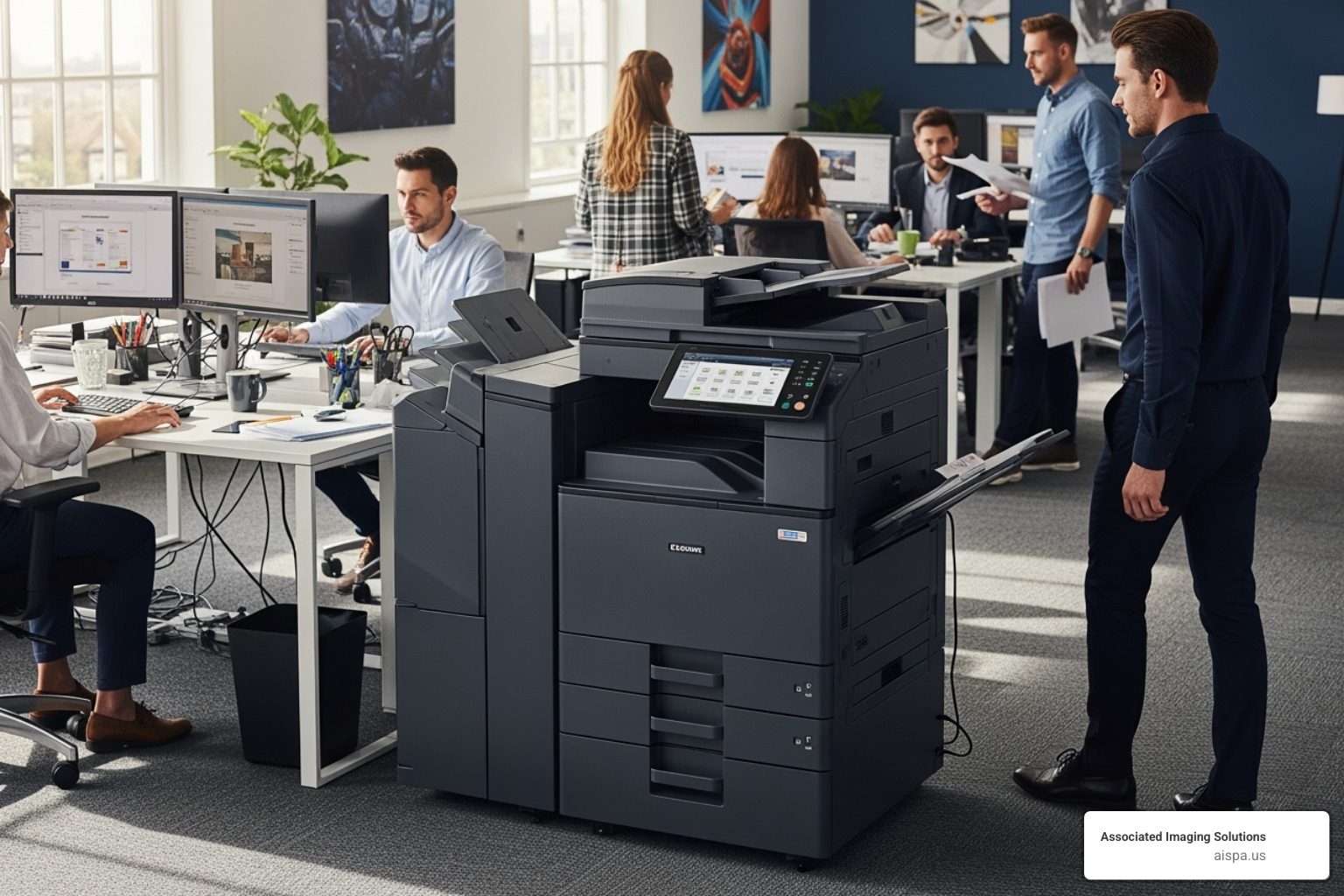
The key specifications for business use include a high monthly duty cycle of 20,000+ pages, large paper trays with 250+ sheet capacity and expandable options, and fast print speeds exceeding 30 pages per minute. Single-pass duplex scanning becomes crucial for rapid two-sided document processing, while robust security features protect sensitive business information.
The Brother MFC-L5915DW is built for offices with serious monochrome printing needs. This mono laser powerhouse delivers 50 pages per minute with a remarkably low cost-per-page of just 1.1 cents. Its paper capacity expands to 1,390 sheets, meaning fewer interruptions for refills, and it includes comprehensive fax functionality for businesses that still rely on this secure communication method.
For businesses requiring both monochrome and color capabilities, the HP Color LaserJet Enterprise MFP M480f provides excellent balance. It maintains fast speeds of 29 pages per minute for both color and monochrome printing, includes a 50-page ADF for efficient document processing, and delivers the reliability that busy offices demand.
The Xerox VersaLink C405 represents the premium end of small business solutions. Built for substantial workloads, it delivers 35 pages per minute with a generous 550+100 sheet paper capacity and advanced security features. This model exemplifies the kind of robust, feature-rich printers we often recommend through our leasing services for businesses that need maximum reliability.
Best for High-Quality Graphics and Photos
When your work involves creating stunning visuals – whether for client presentations, marketing materials, or professional photography – your all in one printer with fax needs to be an artist as much as a workhorse. Color fidelity and detail become paramount.
The magic happens in multi-color imaging systems that go beyond basic cyan, magenta, yellow, and black. Six-color and eight-color ink systems produce the subtle gradations and vibrant colors that make prints truly pop. High print resolution of 4800 x 2400 dpi or better ensures every detail is crisp, while borderless printing capabilities and support for various media types like glossy photo paper and fine art papers expand your creative possibilities.
The Epson EcoTank ET-8550 is a standout choice with its six-color ink system that includes specialized gray ink. This addition produces stunning monochromatic images with smooth tonal transitions that rival traditional darkroom prints. The tank system keeps running costs reasonable even for high-quality output, and it supports wide-format printing up to 13×19 inches.
For families or individuals balancing everyday document needs with high-quality photo printing, the Epson Expression Photo XP-8800 Wireless Color All-in-One delivers excellent results. Its six-color ink system produces vibrant photos while maintaining the convenience of an all-in-one device with fax capability.
The Canon PIXMA Pro-100 pushes photo quality to professional levels with its eight dye-based inks, including three specialized for black and white photography. This attention to grayscale reproduction, combined with 4800 x 2400 dpi resolution and 13×19 inch printing capability, makes it ideal for serious photographers and graphic designers.
Best for Budget-Conscious Users
Smart budgeting means looking beyond the sticker price to find an all in one printer with fax that delivers genuine long-term value. Sometimes the cheapest upfront option becomes expensive over time, while a slightly higher initial investment pays dividends through lower running costs.
The key is finding models with affordable initial purchase prices that don’t sacrifice essential functionality. Look for reasonable cost-per-page figures even with standard-yield supplies, energy-saving features that reduce electricity costs, and solid core functionality without unnecessary complexity. Always evaluate long-term value against initial price to avoid false economies.
The Brother MFC-J4335DW proves that budget-friendly doesn’t mean compromising on quality. Its INKvestment Tank system keeps running costs manageable while providing reliable performance across all functions including fax. The modest upfront price makes it accessible, while the reasonable running costs ensure it remains economical over time.
The Canon TS9120 Wireless All-In-One Printer often appears at attractive price points while delivering impressive versatility. Its six-color individual ink system handles everything from everyday documents to quality photos, making it an excellent value for households with diverse printing needs.
For users with very light printing volumes, the HP DeskJet 2855e Wireless All-in-One Color Inkjet Printer offers an ultra-low entry price. While its cost-per-page may be higher than tank models, the minimal upfront investment makes sense for occasional users who print just a few pages monthly.
The best printer for your budget isn’t necessarily the cheapest one – it’s the one that provides the most value for your specific usage patterns and requirements.
Essential Features That Boost Productivity
When you’re investing in an all in one printer with fax, you want more than just the basic functions. The right productivity features can transform your daily workflow from a series of time-consuming tasks into a smooth, efficient operation.
Think about your typical workday. How often do you find yourself standing at the printer, feeding one page at a time through the scanner? Or walking back and forth to collect single-sided prints that you then need to manually organize? These small inefficiencies add up quickly, especially in a busy office environment.
The most impactful productivity boosters revolve around automation and convenience. An Automatic Document Feeder (ADF) eliminates the tedious process of scanning or copying documents one page at a time. Duplex printing and scanning cuts your paper usage in half while creating more professional-looking documents. Intuitive touchscreen controls make complex tasks feel simple, while robust connectivity options let you print from anywhere in the office—or even from your phone while commuting home.
Modern security features have also become essential productivity tools. When you can trust that your sensitive documents won’t end up in the wrong hands, you can work with confidence and focus on what matters most.
Making Work Easier with ADF and Duplexing
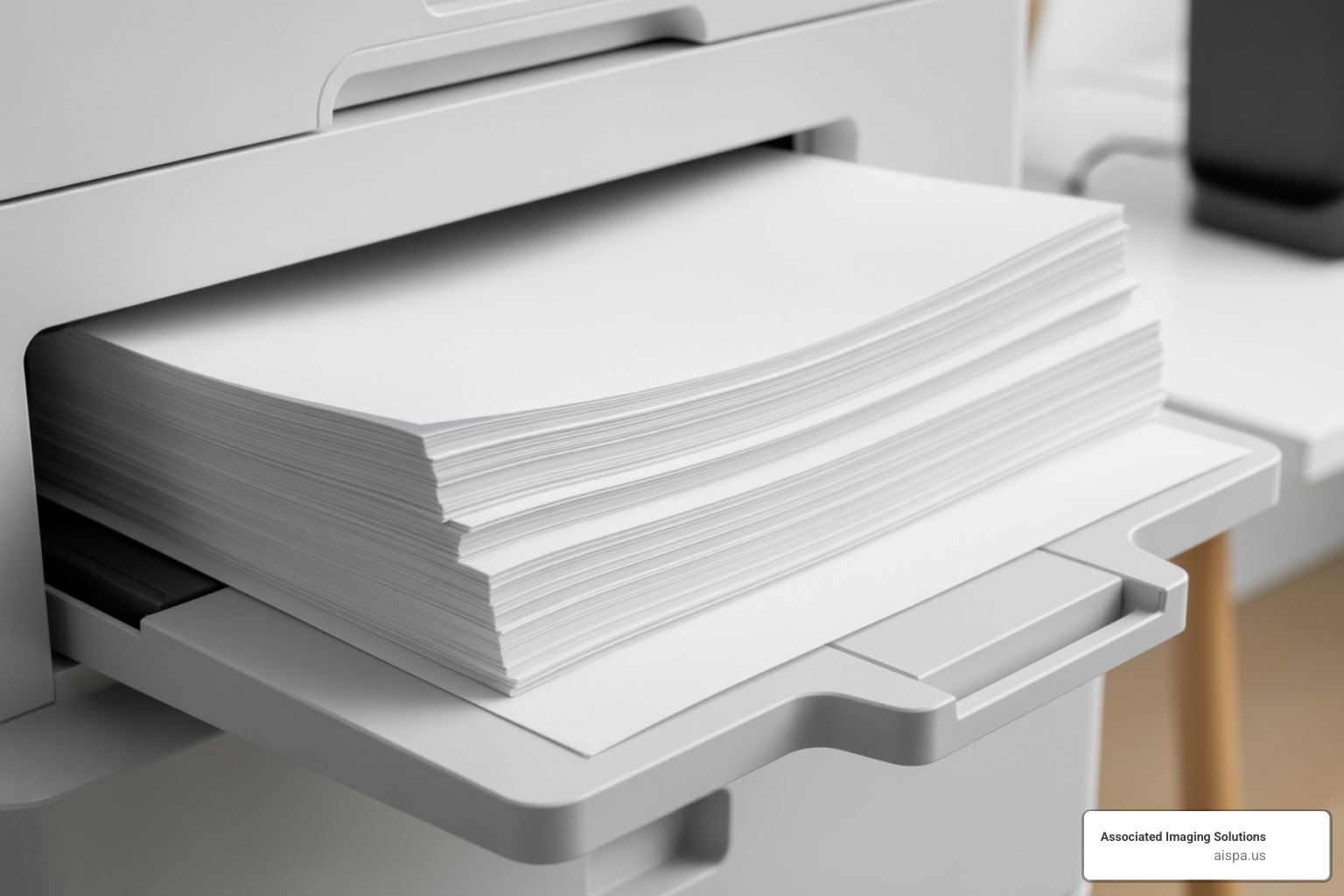
The Automatic Document Feeder might just be the most underappreciated feature on any all in one printer with fax. Picture this: you need to scan a 25-page contract for a client. Without an ADF, you’re looking at 25 individual trips to the flatbed scanner—lift the lid, place the page, close the lid, hit scan, wait, repeat. With an ADF, you stack those pages, press one button, and grab a coffee while the machine does all the work.
This time-saving feature becomes even more valuable when you’re dealing with multi-page faxes or copies. Legal offices, medical practices, and insurance agencies often handle thick documents that would be nearly impossible to process efficiently without an ADF. For insights on optimizing your copying workflow, our guide on How to Make Copies offers practical tips.
When it comes to handling two-sided documents, not all ADFs are created equal. A reversing ADF flips each page to scan both sides—it works well but takes a bit longer. The real game-changer is a single-pass duplex ADF, which captures both sides of a document simultaneously as it feeds through. If your office regularly deals with double-sided contracts, reports, or forms, this feature can cut your scanning time in half.
Duplex printing offers similar efficiency gains while reducing your paper costs. Your all in one printer with fax can automatically print on both sides of each sheet, creating professional-looking documents while cutting your paper usage by 50%. It’s a win for both your budget and the environment.
Connectivity: Wi-Fi, Ethernet, and Mobile Printing
Today’s workplaces are more flexible than ever, and your printer needs to keep up. The best all in one printer with fax models offer multiple ways to connect, ensuring you can print from virtually any device, anywhere in the office.
Wi-Fi connectivity has become the standard, allowing multiple users to share one printer without running cables across the office. Modern dual-band Wi-Fi systems provide faster, more stable connections that can handle large print jobs without slowing down your network.
For those times when you need maximum reliability—like when printing important contracts or high-volume jobs—an Ethernet connection provides rock-solid performance. Many businesses prefer wired connections for their main office printers because they eliminate the potential for Wi-Fi interference or dropouts.
Mobile printing capabilities have revolutionized how we work. Whether you’re using Apple AirPrint from your iPhone, Mopria Print Service on Android, or a manufacturer’s dedicated app, you can send documents to print while walking into the office or during your commute home. Many modern units also connect directly to cloud services like Google Drive or Dropbox, letting you print documents stored online without first downloading them to your computer.
The convenience of Wi-Fi Direct shouldn’t be overlooked either. This feature lets your devices connect directly to the printer without needing your office network—perfect for guest printing or when network issues arise.
Security and Maintenance for Your All-in-One Printer with Fax
Security might not seem like a productivity feature, but it absolutely is. When you’re confident your sensitive documents are protected, you can work more efficiently without constantly worrying about who might access your printouts.
Private printing (also called PIN release) is a simple but powerful feature. Your document gets sent to the printer but won’t actually print until you walk over and enter your PIN on the control panel. No more rushing to the printer to grab sensitive documents before someone else sees them—and no more reprinting documents that got mixed up with someone else’s output.
Network security protocols protect your all in one printer with fax from unauthorized access. Look for models that support modern security standards like WPA2 encryption and secure network protocols. Some advanced business models include comprehensive security suites that monitor for threats and protect sensitive data throughout the printing process.
Keeping your printer well-maintained isn’t just about longevity—it’s about avoiding the productivity-killing frustration of paper jams, poor print quality, and unexpected downtime. Regular cleaning prevents dust buildup that can cause feeding problems. Using quality paper and loading it correctly eliminates most jamming issues. Keeping drivers updated ensures your printer works smoothly with new software and operating system updates.
For inkjet models, managing ink levels properly prevents print head clogs that can require expensive repairs. Laser printers are generally more forgiving, but proper toner cartridge installation and storage keep them running smoothly for years.
When you invest in these productivity features and maintain them properly, your all in one printer with fax becomes more than just office equipment—it becomes a reliable partner that helps your business run more smoothly every day.
Frequently Asked Questions about All-in-One Printers with Fax
When helping clients choose the perfect all in one printer with fax, we hear the same questions repeatedly. These are smart questions that show you’re thinking beyond the initial purchase price and considering how these machines will actually work in your daily routine.
Do I need a phone line to use the fax function?
This is probably our most common question, and the answer isn't as straightforward as it used to be. Traditionally, yes - you needed a standard analog phone line connected to your printer's RJ-11 port. Your all in one printer with fax essentially becomes a sophisticated telephone, dialing numbers and transmitting document data through the phone network.
But here's where it gets interesting. Modern technology has opened up several alternatives that might work better for your situation.
VoIP compatibility is improving, though it can be tricky. If you're using Voice over Internet Protocol for your phone service, some newer all in one printer with fax models work reasonably well with VoIP systems. However, we often see reliability issues due to data compression and network delays. The quality of your internet connection and your VoIP provider's setup can make a huge difference.
Cloud faxing has become incredibly popular, and for good reason. You subscribe to an online fax service that gives you a virtual fax number. Your printer scans the document, you attach it to an email, and the cloud service handles the actual faxing. No phone line needed at the printer, and it's often more reliable than traditional faxing. For a detailed walkthrough, check out our guide on how to Fax from Printer Over Internet: Easy Guide.
PC faxing is another clever option. Some models let you send faxes directly from your computer without printing first. The printer's software converts your document and sends it through whatever connection method you're using.
For businesses dealing with HIPAA compliance or other regulatory requirements, we always recommend verifying that your chosen fax method meets your security and reliability standards.
What's the difference between an All-in-One (AIO) and a Multifunction Printer (MFP)?
While people use these terms interchangeably, there are some subtle differences that matter when you're shopping.
All-in-One (AIO) typically describes consumer-grade devices designed for home offices or small businesses. These focus on being compact, user-friendly, and affordable. They handle print, scan, copy, and often fax functions without taking up too much space or requiring a degree in engineering to operate.
Multifunction Printer (MFP) usually refers to business-grade equipment built for heavier workloads. These machines offer more robust features, higher speeds, larger paper capacities, and advanced security options. They're designed to integrate into complex office networks and handle the demands of busy workgroups. Our Copiers and Printers Guide dives deeper into these professional-grade machines.
The lines are definitely blurring, though. Many excellent "AIOs" now pack features that were once exclusive to high-end "MFPs." It's more about matching the machine's capabilities to your actual needs rather than getting caught up in terminology.
How much should I expect to pay for supplies?
This is where the rubber meets the road - or where the ink meets the paper, if you will. The cost-per-page (CPP) is what really matters for your budget, not just the sticker price of replacement cartridges.
Understanding cost-per-page is simple math with big implications. Take the cost of a cartridge and divide it by how many pages it prints. A $50 toner cartridge that prints 2,000 pages costs you 2.5 cents per page. This is your best tool for comparing the true cost of different all in one printer with fax models.
Standard versus high-yield supplies can dramatically affect your costs. High-yield cartridges cost more upfront but contain significantly more ink or toner. For most users with moderate to high print volumes, high-yield options provide much better value. It's like buying the large size at the grocery store - more expensive initially, but cheaper per unit.
Efficient consumable systems have revolutionized printing costs. Ink tank systems like EcoTank and MegaTank can deliver cost-per-page rates below 1 cent for black and white printing. Instead of buying expensive cartridges, you're purchasing inexpensive bottles of ink. Brother's INKvestment Tank system offers a hybrid approach that still provides excellent value.
For laser printers, toner generally offers better cost-per-page for text documents compared to traditional inkjet cartridges, especially for higher volumes.
Maximizing your value comes down to a few smart practices. Use genuine supplies - while third-party alternatives might look cheaper, genuine manufacturer supplies are engineered for optimal performance and won't void your warranty. Print in draft mode for internal documents to conserve supplies. Enable duplex printing to cut paper costs in half and indirectly extend your consumables' life.
The key is matching your all in one printer with fax choice to your actual usage patterns. A printer with slightly higher supply costs might still be the better deal if it perfectly matches your workflow and volume needs.
Conclusion
Finding the perfect all in one printer with fax isn’t just about buying another piece of office equipment – it’s about investing in a productivity powerhouse that can transform how you handle documents every day. Throughout this guide, we’ve walked through everything from understanding your print volume to decoding cost-per-page calculations, all to help you make a choice you’ll be happy with for years to come.
The “best” printer isn’t necessarily the most expensive one in the store. It’s the one that perfectly matches your workflow, whether you’re printing occasional family photos at home or churning through hundreds of invoices in a busy small business. Consider your actual needs first – do you need vibrant color printing for marketing materials, or will crisp black-and-white documents serve your purposes? Are you printing five pages a week or fifty pages a day?
The sticker price is just the beginning of your investment. Those ink and toner cartridges add up quickly, which is why understanding total cost of ownership is so crucial. A printer with a higher upfront cost but incredibly low running costs (like those innovative tank systems we discussed) often delivers better value over time than a bargain model with expensive consumables.
The features that seemed like “nice-to-haves” when you first started shopping – like automatic document feeders, duplex printing, and seamless mobile connectivity – quickly become daily time-savers that you’ll wonder how you ever lived without.
For businesses throughout Pennsylvania, from the busy streets of Philadelphia to the growing communities of Lancaster, York, and Pittsburgh, Associated Imaging Solutions brings decades of expertise to help you steer these choices. We understand that every business has unique needs, and what works perfectly for a medical office in Chester might not be ideal for a law firm in Harrisburg.
Our flexible leasing options mean you don’t have to tie up capital in equipment purchases, and you’ll have access to the latest technology without the headaches of maintenance and repairs. Plus, our local team knows the Pennsylvania business landscape – we’re not just selling you a printer; we’re partnering with you to optimize your entire document workflow.
Ready to find your perfect all in one printer with fax? Contact Associated Imaging Solutions today for personalized recommendations custom to your specific needs, or explore our leasing options that can get you up and running with professional-grade equipment faster than you might think.
Related Posts
— How Much Is a Copy Machine? Lease vs. Buy Costs (Updated 2026)
— How Many Pages Does an Ink Cartridge Print? (Updated 2026)