

Managed Print Services in Old City

February 5, 2026
 0 views
 0 comments
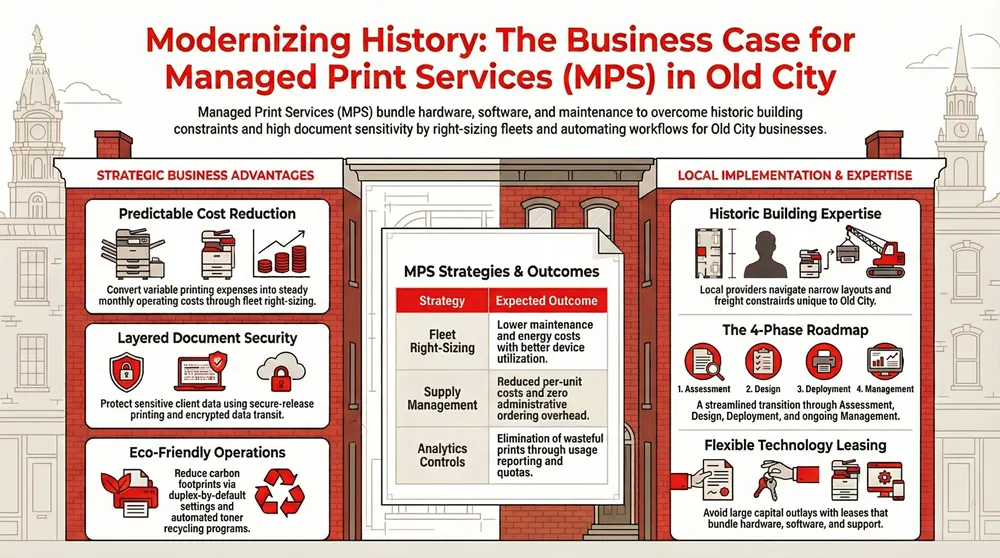
Managed Print Services (MPS) bring hardware, software, and service into one coordinated program to keep your print environment running smoothly. In Old City—where historic floor plans, small offices, and diverse document needs collide—MPS reduces waste, tightens security, and turns unpredictable printing expenses into steady monthly operating costs. This guide explains what MPS covers, why it matters for Old City businesses, and how modern tools like cloud print management and AI-driven analytics are changing outcomes in 2024. You’ll find practical cost-saving tactics, security measures for sensitive documents, sustainability steps that cut paper and energy use, plus an implementation roadmap and how a local provider supports fast onsite service and flexible leasing. Read on to compare cost levers, review security controls, explore eco-friendly practices, and follow a simple action plan to get started with Managed Print Services in Old City.
What Are Managed Print Services and Why Are They Essential for Old City Businesses?
Managed Print Services (MPS) is a bundled program that pairs fleet management, print-management software, and ongoing service to control costs and improve document workflows. Practically, MPS reduces waste by right-sizing the device fleet, routing jobs through secure release, and centralizing supplies so admin overhead drops and uptime rises. For Old City businesses—law offices, creative firms, retail shops, and compact workspaces—those improvements mean better use of limited space, fewer printer headaches for staff, and stronger protection for client data. Knowing what an MPS engagement includes helps teams choose the features that match their workflows and compliance needs.
What Does Managed Print Services Include for Old City Enterprises?
An MPS program typically combines hardware optimization, software controls, and managed services into one package to simplify operations and lower total cost of ownership. Hardware choices range from compact multifunction printers (MFPs) to high-volume copiers selected for color accuracy or small footprints, depending on space. Software provides cloud print routing, usage analytics, secure-release printing, and integrations with document-management or cloud-storage platforms. Services cover proactive maintenance, centralized supply management, end-user support, and recurring fleet reviews that use analytics to fine-tune device placement and policy.
Managed Print Services includes these core components:
- Hardware Optimization: Choosing and placing devices to fit volume and space needs.
- Print Management Software: Cloud queues, secure release, and actionable usage analytics.
- Operational Services: Preventive maintenance, supplies management, and user training.
These parts work together to reduce downtime and administrative burden. With that foundation, it’s easy to see why MPS delivers particular value in Old City’s historic district.
Why Is MPS Important for Businesses in the Historic Old City District?
Old City’s older buildings, narrow layouts, and mixed tenancy create constraints that can amplify printing inefficiencies and security gaps. Small law firms need confidential handling; design studios demand consistent color; boutiques require compact point-of-sale printing. MPS solves those challenges with device consolidation, secure release workflows, and policy defaults that cut unnecessary color or single-sided prints. Local providers who know Old City logistics also speed repairs and simplify lease or replacement planning, which matters when stairways, freight access, or building rules complicate installations.
Those location-specific realities make cost and efficiency the next natural focus: how MPS reduces spend while improving day-to-day operations.
How Can Managed Print Services Reduce Costs and Improve Efficiency in Old City?
MPS lowers costs by centralizing supply purchasing, right-sizing the fleet, and using analytics to eliminate needless prints and idle devices. Common mechanisms include automated supply replenishment, meter-based billing or managed leases, and usage reports that spotlight departmental overuse. Together, these convert variable, hard-to-track expenses into predictable operating costs and free up internal IT to focus on higher-value work. Below is a concise view of primary cost levers so you can see where savings usually appear and how to prioritize actions.
Intro to cost-reduction tactics:
- Fleet Right-Sizing: Replace many underused printers with fewer shared MFPs.
- Supply Consolidation: Centralize toner and consumable ordering to lower unit cost and waste.
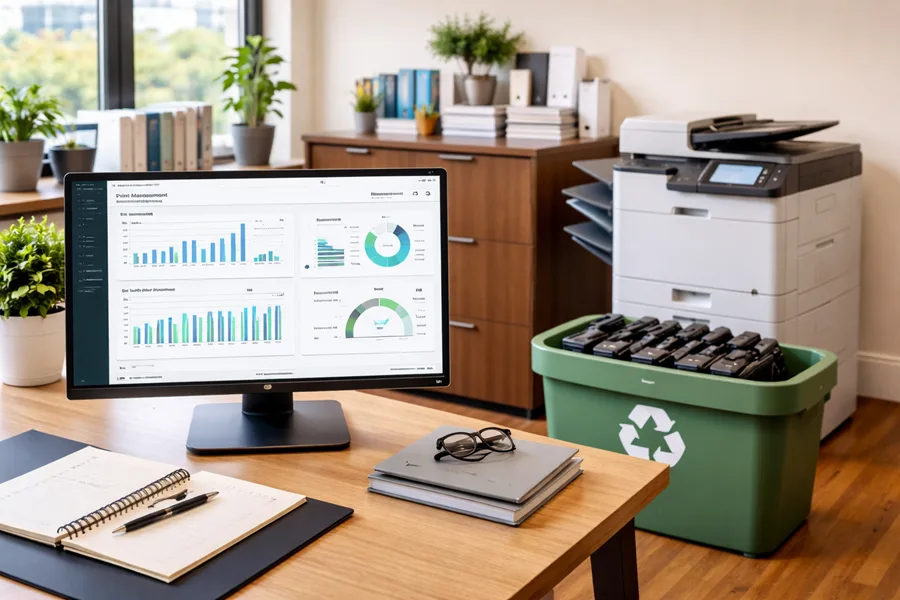
- Analytics & Metering: Track print use to find heavy users and stop unnecessary jobs.
These strategies reveal clear levers for savings and efficiency; the table below breaks down specific approaches and likely outcomes so managers can compare options quickly.
This table clarifies trade-offs and helps prioritize quick wins. Applying these measures also speeds repairs and reduces emergency supply orders—benefits that tie into how MPS smooths everyday workflows.
What Are the Key Cost Reduction Strategies with MPS?
Primary cost-saving tactics include consolidating devices, enforcing print policies, and choosing managed leases that fit cash-flow needs instead of large capital purchases. Consolidation lowers per-page costs and improves utilization; policy defaults—like duplex and grayscale—reduce consumable use; and metering plus analytics reveal departments or users with heavy color or personal printing so you can target education or quotas. Leasing smooths capital requirements and enables regular technology refreshes without sudden large expenses, making budgeting for printing predictable.
Together, these steps form a practical plan: assess usage, enforce policy-driven controls, and refine continuously with analytics to lock in savings and efficiency. Those operational gains also make it easier to introduce security controls that protect sensitive documents across Old City offices.
Right-sizing your hardware fleet is a foundational step toward consistent print efficiencies.
Managed Print Services: Optimizing Hardware Fleets for Business Efficiency
A concise look at the economics of managed print and imaging services, emphasizing how matching hardware to actual business needs drives efficiency and lowers costs.
The economics of Managed Print and Imaging Services, 2011
How Does MPS Streamline Office Printer Solutions and Workflow Optimization?
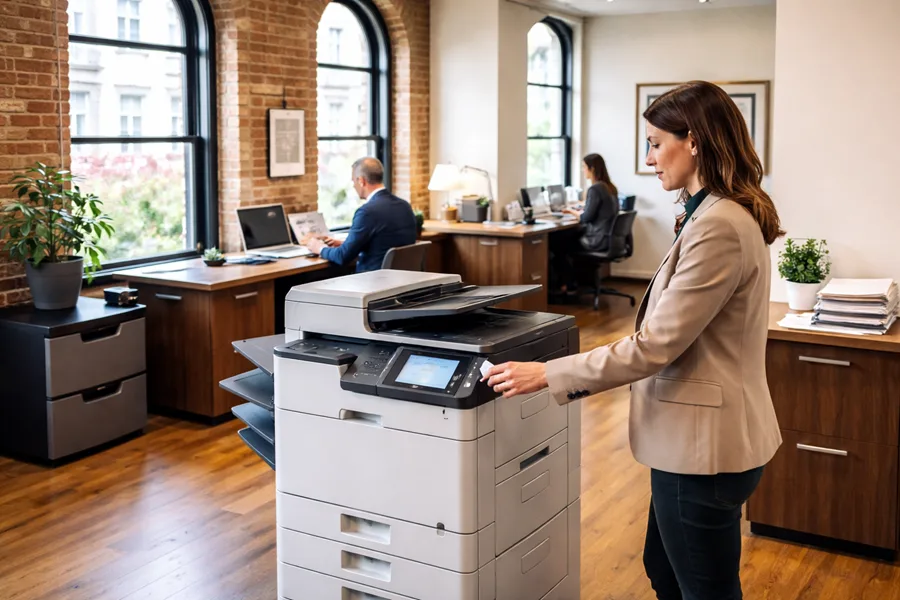
MPS improves workflows by mapping current printing habits and then redesigning device placement and software policies to remove bottlenecks. Typical steps include a site assessment, grouping devices by user needs, and enabling scan-to-cloud and OCR to digitize paper processes. Centralized print queues and secure release reduce misprints and abandoned documents at shared devices. Proactive maintenance cuts downtime, and automated supply fulfillment stops mid-cycle shortages that disrupt the day.
Workflow changes often produce immediate productivity gains and cleaner document routing, which leads directly into the security measures that protect shared printing environments.
An orderly approach to managing file streams reduces errors and makes network printing more reliable.
Network Printing Workflow: Optimizing File Stream Management and Error Reduction
An overview of a three-stage strategy to manage file streams in network printing workflows, including preflight checks and customer-facing tools that reduce file errors before submission.
Optimized three-stage strategy of orderly management of file stream in network printing workflow, 2017
What Security Features Do Managed Print Services Offer for Old City Businesses?
MPS delivers layered security: user authentication, secure-release printing, data encryption, and audit logging to protect documents and device firmware. These controls stop unauthorized access to print jobs, secure data on devices and in transit, and create audit trails for compliance or incidents. Organizations that handle client data or regulated information benefit from these features, which also work alongside IT controls like network segmentation and endpoint management. The table below summarizes common security features, how they operate, and the real protections they provide.
Intro to security features table:
How Does MPS Protect Sensitive Documents and Ensure Compliance?
MPS protects sensitive documents with authenticated job release, so users must verify identity before printing. Devices can encrypt stored jobs to prevent data exposure if hardware is retired or stolen. Audit trails capture job histories and user activity to support regulatory requirements and internal reviews. Regular firmware management and scheduled patching shrink the attack surface for devices on the network. For Old City law firms and health-adjacent practices, these combined controls establish a defensible, client-trust-ready approach to document handling.
These controls align with 2024 security trends that emphasize zero-trust and automated threat detection.
What Are the Latest Print Security Trends Relevant to Old City Companies?
In 2024, print security trends include zero-trust device authentication, automated firmware vulnerability scanning, and AI-assisted anomaly detection that flags unusual printing behavior. Zero-trust requires validation of each access request, limiting lateral movement from compromised systems. Timely firmware updates and vendor-signed patches protect device integrity, while SIEM integration surfaces print-related security events. Small and mid-sized firms can adopt scaled versions of these practices through a managed provider without building in-house expertise.
Taking on these trends strengthens resilience and complements cost and sustainability programs covered next.
How Does Managed Print Services Support Sustainability and Eco-Friendly Printing in Old City?
MPS advances sustainability by setting duplex as the default, nudging grayscale by default, enabling pull-print to cut abandoned jobs, and recycling consumables. These operational choices reduce paper and toner waste, lower energy use through device consolidation, and extend equipment life via preventive maintenance. For Old City businesses aiming to meet sustainability targets or show environmental responsibility to customers, MPS provides measurable steps and reporting that make progress visible. The table below lists common sustainability practices and their typical impact so decision-makers can set realistic targets.
Intro to sustainability table:
What Sustainable Printing Practices Are Included in MPS?
Sustainable practices in MPS include network-wide defaults like duplex and grayscale, user quotas to discourage nonessential prints, and pull-print to eliminate unattended jobs. Consumables recycling programs collect and process used cartridges and parts. Replacing energy-hungry legacy devices with modern, efficient models further reduces environmental impact. By baking sustainability into policies and reporting, businesses can measure reductions and prioritize the next steps using real data.
With measurable sustainability gains in place, organizations can also quantify carbon-impact improvements and tie them to corporate goals.
How Can Old City Businesses Reduce Their Carbon Footprint with MPS?
Old City businesses can lower emissions by tracking monthly print volumes, setting reduction targets, consolidating to more efficient MFPs, and shifting paper workflows to secure scan-to-cloud processes. Monitor metrics—prints per user, color vs. grayscale ratios, and device idle energy—to set achievable goals. Replacing older devices with energy-efficient models and joining recycling programs produces environmental and often cost benefits. Regular reporting links these actions to sustainability commitments and provides evidence for stakeholders.
Sustainability measures complement cost savings and security work, and for many organizations the next step is choosing a local partner to put these plans into motion.
Why Choose Associated Imaging Solutions for Managed Print Services in Old City?
Associated Imaging Solutions is a Philadelphia-based partner offering copier leasing, printer solutions, and Managed Print Services across the greater Philadelphia and Delaware Valley area, including Old City. Their strength is local expertise combined with enterprise-grade standards: modern equipment, flexible leasing, and hands-on service. For Old City businesses that need fast onsite response, financing options that avoid large upfront costs, and greener choices, a local MPS partner reduces logistical friction and aligns equipment with operational and sustainability goals.
AIS’s neighborhood presence supports quick service and practical know-how for installations in older buildings, which leads into the implementation steps for working with a managed provider.
What Local Support and Customer Service Does AIS Provide to Old City Clients?
Associated Imaging Solutions offers Philadelphia-based, on-the-ground support focused on fast onsite response and experience with Old City building constraints. Their service model prioritizes direct coordination with client teams to schedule installations in tight or historic spaces and to match service windows to business hours. That local approach shortens repair lead times and simplifies leasing or upgrade logistics, especially when devices need custom placement or network integration.
Local support from AIS complements the technical MPS features described earlier by ensuring policies, placement, and maintenance plans reflect Old City realities.
How Do AIS’s Flexible Leasing and Advanced Technologies Benefit Old City Businesses?
Flexible leasing removes large upfront capital expenses and delivers predictable monthly payments, so organizations can access current-generation MFPs and upgrade paths without a budget shock. Paired with managed services, leasing bundles hardware, software, and support into a single procurement and billing model. Access to cloud print management, analytics, and secure-release workflows keeps Old City businesses current without the ownership burden.
By combining leasing flexibility with ongoing MPS optimization, AIS helps businesses balance cash flow, technology refreshes, and sustainability goals—leading naturally to the steps for starting an MPS engagement.
How Can Old City Businesses Get Started with Managed Print Services?
Starting with MPS follows a familiar, phased process: assessment, design, deployment, and ongoing management—each step delivers measurable value and prepares you for continuous improvement. The assessment inventories devices and measures volumes; design maps device placement, policies, and integrations; deployment installs hardware, configures secure release and cloud links, and trains users; ongoing management monitors usage, automates replenishment, and refines policies. Below is a straightforward checklist to help teams prepare for an efficient engagement.
How to begin with MPS:
- Assessment: Inventory devices, capture meter reads and print volumes, and analyze workflows to find inefficiencies.
- Design: Build a tailored plan that specifies devices, software controls, and supply strategies.
- Deploy: Install devices, configure secure-release and cloud integrations, and train staff for adoption.
- Manage: Use analytics to monitor usage, automate supplies, and continuously optimize policies.
What Is the MPS Implementation Process with AIS?
With a local provider like Associated Imaging Solutions, implementation starts with a thorough print-environment assessment that records device counts, meter reads, and usage patterns. The design phase balances consolidation, leasing options, and security controls for your business. Deployment coordinates hardware setup, network integration, and user training to ensure adoption. Ongoing management applies analytics to refine rules, schedules proactive service, and centralizes consumables so clients get predictable costs and better uptime.
This approach pairs technical delivery with user enablement and continuous improvement, leading to a clear next step for teams ready to request an assessment.
How Can Businesses Request a Free Managed Print Services Assessment in Old City?
To request an assessment, have basic information ready: approximate device counts, typical print volumes, and any compliance or color-printing requirements. A provider will use that input to schedule an onsite or virtual review and prepare a recommendations report with leasing or purchase options and expected efficiency gains. Expect the assessment to conclude with a prioritized plan that lists immediate actions and longer-term optimization steps.
Sharing this information before the assessment speeds the process and ensures initial recommendations match your operations.
Frequently Asked Questions
What are the benefits of using Managed Print Services for small businesses in Old City?
MPS delivers measurable benefits for small Old City businesses: lower and more predictable printing costs, fewer workflow interruptions, and stronger document security. Consolidating devices and automating supplies reduce operational overhead and waste, while secure-release and audit logging protect sensitive information—critical for practices like law and healthcare. Overall, MPS frees staff from printer maintenance so they can focus on core work.
How can businesses measure the effectiveness of their Managed Print Services?
Measure MPS effectiveness with key performance indicators like monthly print volume, cost per page, device utilization, and downtime. Regular analytics reports reveal usage patterns and improvement areas. Track reductions in paper, toner, and energy use to quantify environmental impact. Setting targets and reviewing these metrics over time shows whether your MPS is meeting financial, productivity, and sustainability goals.
What types of businesses benefit most from Managed Print Services?
MPS is especially valuable for organizations with significant or sensitive printing needs—law firms, healthcare-related practices, creative agencies, and any business in space-constrained environments like Old City. These groups benefit from secure document handling, consistent color output, and optimized device placement. In short, any business that prints regularly can gain from streamlined processes and cost controls.
Are there specific security measures that MPS provides for sensitive documents?
Yes. Common security measures include user authentication for secure-release printing, encryption for data at rest and in transit, and detailed audit logs of print activity. Combined with firmware management and patching, these features prevent unauthorized access and help demonstrate compliance with industry rules.
How does MPS contribute to sustainability efforts in businesses?
MPS supports sustainability by setting duplex and grayscale defaults, reducing abandoned prints with pull-print, and running consumables recycling programs. Consolidating devices and replacing old units with energy-efficient models also cut electricity use. Reporting tools make it easy to measure reductions and show progress toward sustainability targets.
What should businesses consider when choosing a Managed Print Services provider?
Choose a provider based on local expertise, responsiveness, and the breadth of services offered. A partner familiar with Old City can handle installation constraints and speed onsite support. Evaluate their technology stack, leasing and service options, sustainability programs, and client references to ensure they align with your goals.
Related Posts
— Managed Print Services in Delaware Valley

— Managed Print Services for Philadelphia Businesses