

New & Used Copier Sales in Philadelphia

January 13, 2026
 0 views
 0 comments
New & Used Copier Sales in Philadelphia — A Practical Guide to Buying, Leasing, and Renting Office Copiers
Buying, leasing, or renting office copiers in Philadelphia means choosing between multifunction machines, laser and desktop printers, wide‑format devices, and the service agreements that keep them running. This guide walks you through the four common acquisition paths — new purchase, used/refurbished purchase, lease, and short‑term rental — and explains how each choice affects uptime, cash flow, and document workflows. Local offices often balance lower upfront cost against long‑term reliability or predictable operating expenses versus ownership benefits.
Below you’ll find practical checklists tailored to legal, healthcare, education, and creative firms, the core comparison factors to weigh (volume, features, service expectations), the device types available locally, and how managed print services and maintenance reduce downtime. Continue for feature comparisons, lease mechanics, quick reference tables, and clear next steps to pick the right copier for your Philadelphia workplace.
What Are the Benefits of Buying New vs. Used Copiers in Philadelphia?

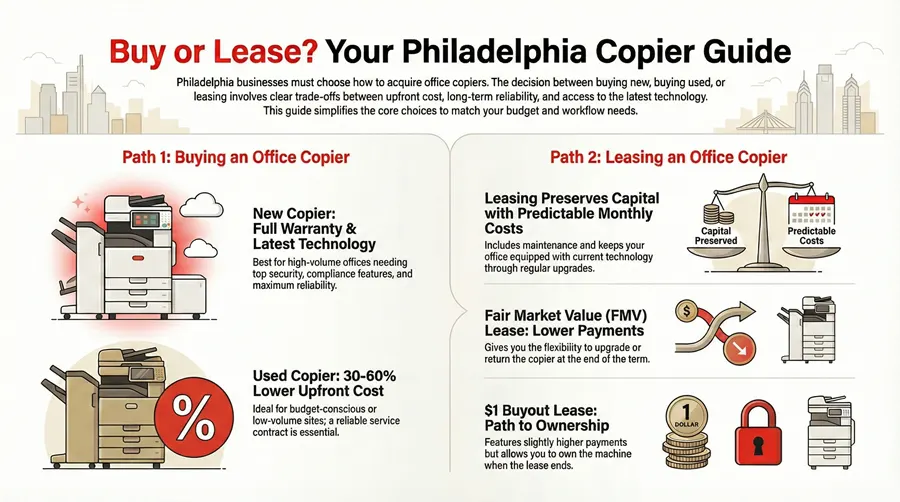
New copiers bring the latest print engines, stronger security and cloud integrations, and full manufacturer warranties that lower operational risk and ease compliance. They normally include advanced scanner modules, modern network interfaces, and finishing options that speed workflows — a real advantage for high‑volume departments and regulated industries that need audit trails and secure print release. Used or refurbished machines cut the upfront cost and can deliver a good total cost of ownership for low‑ to moderate‑volume sites, but they may lack the newest connectivity and often carry shorter or limited warranties. Knowing these trade‑offs helps Philadelphia businesses match capital limits to operational needs and decide whether to buy, lease, or rent.
In short: new copiers favor long‑term reliability and feature completeness, while used units lower the initial investment but call for careful inspection and solid service agreements to control lifecycle risk.
New devices often improve efficiency through faster output, tighter document workflows, and built‑in security that reduce manual steps and exposure. Modern multifunction copiers plug into document management systems to automate scan‑to‑folder or secure cloud storage, shrinking processing time for administrative teams and speeding client delivery. Those workflow gains can add up across departments, which is why busy legal, healthcare, and finance offices frequently favor new equipment. The next section outlines the specific operational benefits current models deliver.
How Do New Copiers Enhance Business Efficiency?
New copiers boost throughput with faster engines, larger paper capacity, and advanced finishing that cut manual handling and shorten queues. They include secure print release, encrypted network interfaces, and native connectors to popular DMS platforms — all of which speed secure scanning and cut rework from misfiled documents. Cloud and mobile print support remove bottlenecks for remote staff, letting team members submit jobs from phones or laptops without extra steps. These operational gains explain why high‑volume or compliance‑focused Philadelphia offices often invest in new machines.
What Cost Savings Can You Expect from Used Copier Sales?
Used or refurbished copiers commonly cost 30–60% less up front than comparable new models, depending on age, refurbishment level, and any included warranty — an immediate capital saving for small or low‑volume offices. Buyers should weigh that against potentially higher maintenance frequency, a shorter remaining duty cycle, and fewer modern security features that may affect long‑term total cost of ownership. Signs of quality refurbishment include replaced consumable parts, tested print engines, and a documented service history; pairing a used purchase with a reliable service contract removes much of the operational risk. For Philadelphia sites with tight budgets or secondary locations, refurbished units can be a practical, cost‑effective option when backed by clear SLAs.
Once you’ve compared new and used options, many organizations look to leasing as a way to preserve cash while staying on current technology — the section below explains how local leasing typically works.
How Does Copier Leasing Work in Philadelphia and Is It Right for Your Business?
A copier lease is a contract where a business pays monthly to use a machine for a set term — often with maintenance and support included — which preserves capital and delivers predictable operating expenses. Lease agreements differ by term length, end‑of‑term options, and inclusions such as parts, labor, and supplies; those choices directly affect monthly payments and total cost. Leasing fits businesses that prioritize cash flow, want regular technology refreshes, or prefer predictable budgets to a large upfront purchase. Comparing lease structures and the specific inclusions is essential for Philadelphia companies deciding whether leasing matches their financial and operational goals.
Leasing vs. Buying Scientific Instruments: Advantages and Costs
Rapid technological change has made leasing an attractive option across many industries — from phones and computers to specialty equipment — because it helps organizations avoid obsolescence. This analysis examines leasing advantages and gives an example of a lease‑based procurement strategy for research instruments, noting that high‑tech assets often lose value quickly and benefit from flexible acquisition models.
To buy or to lease: The advantages and costs of leasing versus buying scientific instruments for academic core facilities, Y Wang, 2020
- Fair Market Value (FMV) Lease: Good when you want lower monthly payments and upgrade flexibility at term end.
- $1 Buyout Lease: Choose when you intend to own the device and prefer predictable long‑term costs.
- Short‑term Rental: Useful for events, pilot projects, or seasonal peaks that need immediate capacity.
Those lease choices determine whether operational flexibility or eventual ownership best fits your strategy. Accurate comparisons require itemized lease offers so you can clearly see equipment, maintenance, and supplies.
What Are the Flexible Leasing Options Available for Philadelphia Businesses?
Local businesses can pick term lengths and end‑of‑term options to match growth plans: FMV leases keep payments lower and let you upgrade, $1 buyout leases favor ownership, and short‑term rentals handle temporary demand. Many leases bundle maintenance and supplies to simplify budgeting, but the exact scope varies and should be confirmed in writing. Operating leases can keep technology off the balance sheet for some organizations, while capital leases suit those wanting asset ownership and depreciation. Compare inclusions, SLA response times, and upgrade provisions to choose the lease structure that fits cash flow and IT refresh cycles.
What Are the Financial and Operational Advantages of Leasing a Copier?
Leasing converts a large capital expense into predictable monthly payments, preserving working capital and letting smaller businesses access robust multifunction copiers without heavy upfront spending. Operationally, included maintenance reduces downtime risk, and refresh options keep you on current connectivity, security, and scanning features. From a tax viewpoint, many organizations treat lease payments as operating expenses — check with your financial advisor for specifics. In Philadelphia, a lease partner with fast local support and clear SLAs is especially valuable because quick response minimizes operational disruption.
For a local example, Associated Imaging Solutions (AIS) provides flexible leasing options for Philadelphia and the Delaware Valley. AIS emphasizes included maintenance and around‑the‑clock support to reduce downtime, and their manufacturer partnerships simplify sourcing certified machines. When evaluating proposals, ask for itemized inclusions, documented response times, and upgrade terms to confirm the agreement meets your needs.
Leasing vs. Buying: Non-Financial Advantages and Cost of Capital Services
A nonfinancial benefit of leasing is that specialized lessors often provide more efficient, cost‑effective service than a lessee could manage on their own — especially for assets that require specialized maintenance. This observation applies across industries where dedicated maintenance expertise improves uptime and reduces total cost.
Leasing, buying, and the cost of capital services, 1976
Which Types of Office Copiers Are Available for Sale and Lease in Philadelphia?
Suppliers in Philadelphia offer a full range of office equipment: multifunction copiers, laser and desktop printers, wide‑format devices, and refurbished units. Choose by matching print speed, color needs, and finishing options to your department’s workflow, and check components like paper trays, finishers, and scanner modules that affect practical capacity. Vertical needs — wide‑format for architecture or color fidelity for marketing — will guide your category choice, while refurbished options improve affordability for lower‑volume tasks. The table below helps decision‑makers match devices to use cases and budgets.
- Multifunction Copiers: Best for centralized, high‑volume environments needing finishing and advanced scanning.
- Wide‑Format Printers: Suited for large plans, posters, and proofs where color accuracy matters.
- Laser Printers: Good for departmental or branch use with steady, moderate volumes.
- Desktop Printers: Ideal for individual users or micro‑offices where footprint and cost matter most.
What Are the Features of Multifunction and Wide-Format Copiers?
Multifunction copiers combine print, scan, fax, and finishing in one platform, with features like automatic document feeders, stapling/stacking finishers, and high‑capacity trays to support continuous production. Wide‑format devices add roll‑fed media handling, precise color management, and large‑format scanning for graphics, drawings, and signage, letting agencies and studios produce client‑ready materials in‑house. Both categories include network interfaces and security controls to manage user access and protect confidential documents on Philadelphia networks. Your required output size, finishing, and volume will determine the right machine family.
How Do Laser and Desktop Printers Fit into Your Office Copier Needs?
Laser and desktop printers complement a copier fleet: desktop units offer low‑cost, low‑volume convenience for individual users, while departmental lasers handle steady medium volumes with a lower cost per page and reliable uptime. The main trade‑offs are cost‑per‑page, color capability, and consumable replacement. Laser devices typically deliver lower per‑page costs and higher duty cycles than small ink‑based printers. A considered mix — multifunctions for heavy finishing and centralized tasks, smaller printers for local needs — reduces network congestion and keeps costs efficient. Assess departmental volumes and peak job sizes to set the right balance.
How Can Managed Print Services and Copier Maintenance Improve Your Philadelphia Office Workflow?
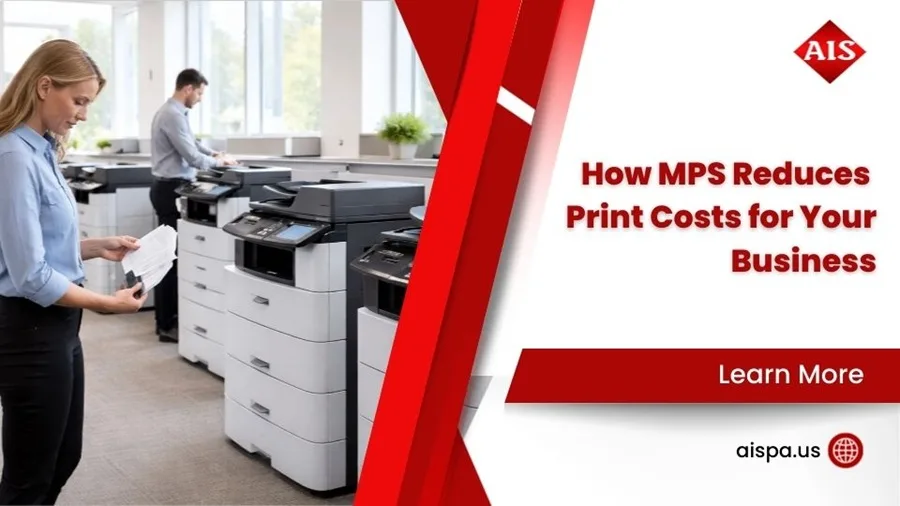
Managed Print Services (MPS) centralize fleet oversight, with monitoring, supplies management, and reporting that cut waste and lower operating costs through smarter deployment. MPS platforms reveal usage patterns and recommend right‑sizing — fewer underused machines and less spend on consumables and service. Proactive maintenance and fast repairs reduce downtime and keep productivity steady, while integrations with document management systems improve security and compliance for sensitive records. The result is clearer visibility into print costs and smoother workflows across Philadelphia organizations.
- Lower costs through optimization and consolidated billing.
- Better uptime with proactive maintenance and monitoring.
- Stronger security and compliance via integrated document workflows.
What Are the Key Benefits of Managed Print Services for Local Businesses?
MPS lowers per‑page cost by consolidating fleet management, optimizing device placement, and automating consumable replenishment to avoid emergency orders. Usage analytics support budgeting and identify opportunities to move high‑volume jobs to more efficient machines. Security features — user authentication and encrypted transmission — help meet regulatory needs in healthcare and legal sectors. For Philadelphia customers, MPS often includes local support paths that shorten repair times and provide actionable recommendations for long‑term fleet planning.
How Does Copier Repair and Maintenance Ensure Maximum Uptime?
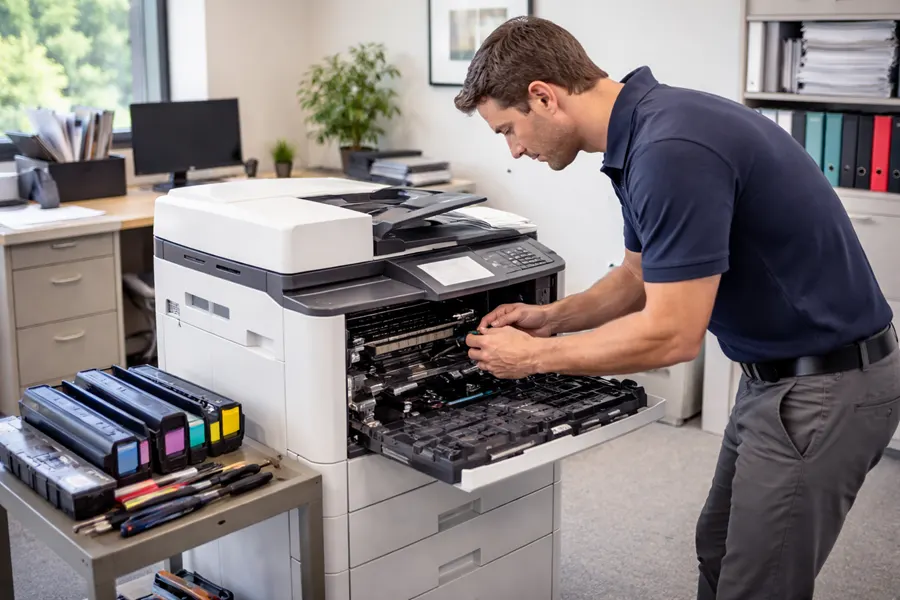
Clear service contracts set response times, preventive maintenance schedules, and parts availability to reduce unplanned downtime and keep duty cycles consistent. Preventive tasks — cleaning print paths, replacing worn rollers, and firmware updates — extend equipment life and stop small issues from becoming production‑stopping failures. Local technicians and a stocked inventory of common spares are essential to meet tight SLAs and restore productivity quickly. When service agreements reflect your operational priorities, you get steadier workflows and fewer emergency repairs.
What Should You Consider When Choosing the Right Copier for Your Philadelphia Business?
Pick a copier based on monthly print volume, required features like color scanning and finishing, budget limits, and any industry compliance needs that affect security and document handling. Start by measuring current volumes and peak workloads, map those figures to device duty cycles and recommended monthly capacities, and prioritize must‑have features such as duplex scanning, secure print release, or wide‑format capability. Total cost of ownership — including consumables, maintenance, and energy — usually outweighs the sticker price, so forecast lifecycle costs alongside the initial investment. This approach steers procurement toward machines and contract terms that match operational realities and financial goals.
- Estimate monthly volume and peak job sizes to match duty cycle and tray capacity.
- List required features such as color, finishing, secure printing, and DMS integration.
- Compare total cost of ownership including consumables, maintenance, and energy use.
- Confirm service response expectations and parts availability for reliable local support.
- Consider regulatory or industry‑specific requirements for security and retention.
This checklist orders the key steps to make procurement evidence‑based and aligned with business needs.
Which Factors Affect Copier Selection: Volume, Features, and Budget?
Monthly volume drives duty cycle and whether a device’s recommended capacity matches real demand — undersized machines face higher failure rates and maintenance costs, while oversized systems waste capital. Prioritize required features (color, high‑resolution scanning, advanced finishing, DMS connectors) as must‑haves or nice‑to‑haves to narrow choices. Budget combines upfront purchase or lease payments with ongoing costs like toner, parts, and service; projecting total cost of ownership over five years reveals the real economics. Balancing volume, features, and budget reduces the risk of misaligned purchases and yields a stable, cost‑effective fleet.
How Do Industry-Specific Needs Influence Copier Choice?
Verticals have distinct priorities: legal and healthcare need strong access controls, audit trails, and secure document handling; architecture and marketing require high‑fidelity color and large‑format output; education and nonprofit often prioritize affordability and simplicity. Compliance may demand encrypted storage, access logs, and retention features that shape device and software choices. Identifying these requirements early enables selection of devices and managed services with the necessary security and workflow integrations, avoiding costly retrofits later. Tailored procurement makes the copier an enabler, not a bottleneck.
What Are the Most Common Questions About Copier Sales and Leasing in Philadelphia?
Philadelphia buyers typically ask whether to buy or lease, how much leases cost, and how to secure local SLAs that match operational needs. The right answer depends on cash flow, upgrade cadence, and risk tolerance: buying suits those who want ownership and long‑term cost control, while leasing gives budget predictability and easier access to newer technology. Lease pricing varies by model class, term length, and included maintenance; meaningful comparisons require itemized proposals listing service inclusions, consumables, and response times. The following sections offer practical decision rules and conservative cost ranges to help shape vendor conversations.
Should I Buy or Lease a Copier for My Philadelphia Business?
Buy if you plan long‑term ownership, have capital available, and want to minimize lifetime cost after depreciation — ideal for steady workloads and infrequent refreshes. Lease if you want to preserve capital, prefer fixed monthly expenses, or expect regular upgrades; leasing also reduces administrative burden when maintenance is included. Many small‑to‑medium Philadelphia offices take a blended approach: own central, high‑utilization printers and lease departmental devices to balance cost and flexibility. Ask for TCO and lease‑comparison worksheets to quantify cash flow and operational impacts.
How Much Does a Copier Lease Typically Cost in Philadelphia?
Lease costs vary by device class: small desktop or departmental units often lease for under a few hundred dollars per month; mid‑range multifunction copiers typically fall in the low‑ to mid‑hundreds; and high‑volume or wide‑format systems can run several hundred to over a thousand dollars monthly, depending on features and term. Key price drivers include duty cycle, color capability, included maintenance and supplies, and lease length; guaranteed rapid‑response SLAs or full supplies coverage increase monthly cost. When comparing offers, request itemized lease proposals that separate equipment, maintenance, and supplies for straightforward comparison.
As a practical next step, Associated Imaging Solutions (AIS) offers sales, leasing, rental, repair, and managed print services across the Delaware Valley. AIS works with multifunction copiers, laser and desktop printers, wide‑format devices, and refurbished units, and focuses on transparent pricing, local technical support, and flexible leasing that can include maintenance and 24/7 support. Request an on‑site assessment or demo from a certified local dealer to ensure proposed solutions match your volume, feature, and compliance needs.
This recommendation leads into the specific steps procurement teams should take when engaging vendors to secure the best fit for their office environment.
Frequently Asked Questions
What factors should I consider when deciding between buying and leasing a copier?
Consider cash flow, technology needs, and long‑term plans. Buying fits organizations that want ownership and can handle the upfront cost; leasing provides lower initial payments and easier upgrades. Assess expected print volume, the importance of current technology, and whether predictable monthly expenses are a priority. Also factor in total cost of ownership — maintenance and consumables — to choose the path that supports your operations.
How can I ensure I get the best service agreement for my copier?
Compare quotes from several vendors and look for clear SLAs that state response times, maintenance schedules, and parts availability. Ask about remote monitoring and proactive maintenance to minimize downtime, and clarify whether consumables and supplies are included. Prioritize local support options for quicker response, and check references or reviews to confirm reliable service.
What are the common maintenance issues with used copiers?
Typical issues include worn rollers, misaligned print paths, and outdated firmware — all of which can cause paper jams, poor print quality, and increased downtime. Review a used copier’s service history and the quality of any refurbishment before purchasing. Regular preventive maintenance and a solid service contract are key to extending the life of a used machine.
How do I determine the right copier type for my business needs?
Start with your printing profile: volume, color needs, and finishing requirements. Multifunction copiers suit high‑volume environments that need advanced scanning and finishing; desktop printers work for low‑volume individual use. Consider vertical requirements — wide‑format for architecture or high‑resolution color for marketing — and estimate TCO, including maintenance and consumables, to ensure the device meets both operational and financial goals.
What role do Managed Print Services (MPS) play in copier management?
MPS centralizes device management, monitoring usage, managing supplies, and providing analytics to lower costs and improve efficiency. Proactive maintenance and quick repairs reduce downtime, while security and compliance features help protect sensitive documents. MPS simplifies print operations so you can focus on core business priorities while reducing print‑related expenses.
What are the potential risks of purchasing a used copier?
Risks include hidden defects, limited warranty coverage, and older technology. Used copiers may have shorter remaining lifespans and require more frequent maintenance, which can raise long‑term costs. They may also lack modern security or connectivity features. Mitigate risk by inspecting the machine, reviewing service records, securing a reliable warranty or service agreement, and buying from reputable dealers.
Related Posts
— Managed Print Services in Delaware Valley
— How MPS Reduces Print Costs for Your Business