

The Ultimate Commercial Copier Comparison Guide 2025

November 4, 2025
 0 views
 0 comments
AI Overview:
AI is revolutionizing commercial copiers by turning them into smart workflow hubs. Modern MFPs use AI to automate document routing, predict maintenance needs, and enhance data security. With intelligent scanning, adaptive print settings, and real-time performance monitoring, businesses gain faster, safer, and more efficient document management.
More Than Just a Copier
A commercial copier is a multifunction printer (MFP) designed for business use that combines printing, copying, scanning, and often faxing capabilities in one machine. These devices handle high-volume document production while integrating with digital workflows and cloud services to streamline office operations.
Key features of modern commercial copiers:
- Print speeds: 20-70+ pages per minute
- Functions: Copy, print, scan, fax, email
- Connectivity: Wi-Fi, Ethernet, mobile printing
- Security: User authentication, data encryption
- Paper handling: Multiple trays, finishing options
- Lifespan: 5-10 years with proper maintenance
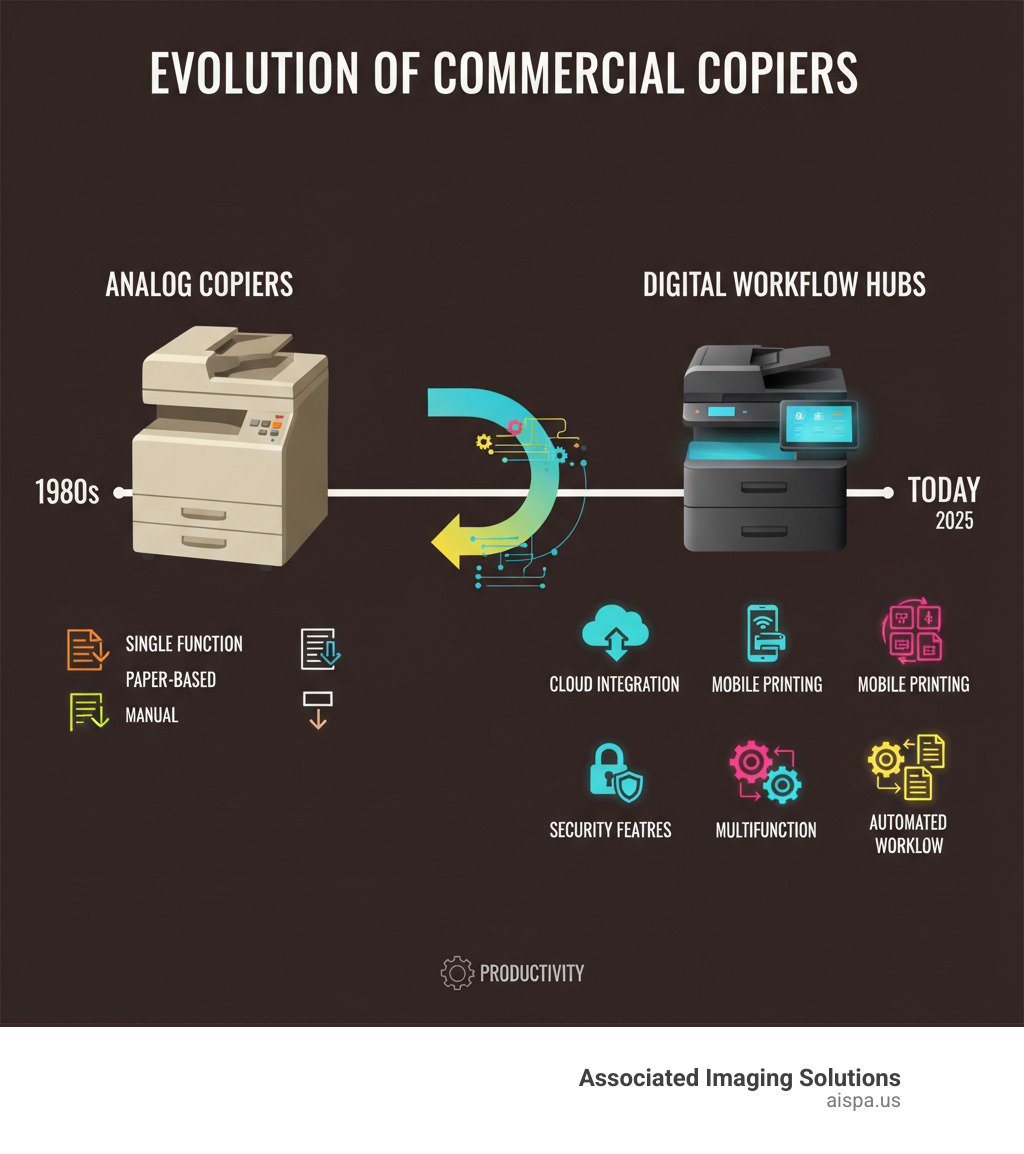
The commercial copier has evolved far beyond the simple button-press machines of the past. As one industry expert noted: “You used to press a button on your Xerox copier and multiple, collated copies would land in the tray. Now you can press, tap or swipe an icon on an MFP’s touchscreen and set a complete, digital workflow into motion.”
Today’s devices serve as digital workflow hubs that can scan documents directly to email, route files for electronic signatures, and integrate with back-office systems. With the global commercial copier market projected to reach $17.8 billion by 2030, these machines have become essential productivity tools rather than simple copying devices.
For busy office managers dealing with outdated equipment and high maintenance costs, choosing the right commercial copier means finding a balance between functionality, reliability, and total cost of ownership. The decision impacts everything from daily productivity to long-term operational efficiency.
Commercial copier word guide:
- Document workflow automation
- Enterprise print solutions
- Office document solutions
Understanding the Modern Commercial Copier
Think about the last time you walked past your office’s commercial copier. Chances are, it’s humming along doing far more than just making copies. Today’s machines are sophisticated digital workhorses that have fundamentally changed how we handle documents in the modern workplace.
The numbers tell the story of this change. The global commercial copier market, valued at $12.5 billion in 2022, is projected to reach $17.8 billion by 2030—growing at a steady 4.5% annually. This isn’t just growth for growth’s sake; it reflects businesses recognizing these devices as essential productivity tools rather than simple copying machines.
Beyond Copying: The Rise of the Multifunction Printer (MFP)
Here’s where things get interesting. The multifunction printer, or MFP, has essentially taken over the market—and for good reason. Instead of having a separate printer here, a scanner there, and a fax machine gathering dust in the corner, an MFP consolidates everything into one sleek unit.
The benefits are immediately obvious. You’ll save valuable office space that was once cluttered with multiple devices. Cost consolidation becomes a reality when you’re maintaining one machine instead of four. And centralized management means your IT team isn’t running around troubleshooting different devices from different manufacturers.
The market has responded enthusiastically. MFPs are expected to account for over 70% of the commercial copier market by 2030. That’s not surprising when you consider how much more efficient it is to have one device that handles printing your presentations, copying important contracts, scanning receipts, and yes—even sending the occasional fax when that one client still insists on it.
Powering Digital Workflows in Your Office
This is where modern commercial copiers really shine. They’ve become the bridge between our physical and digital worlds, and frankly, it’s pretty impressive what they can do now.
Picture this: you receive a paper invoice that needs processing. In the old days, you’d scan it, save the file, email it to accounting, and hope someone remembered to file it properly. Today’s MFPs can scan that document to email automatically, use Optical Character Recognition (OCR) to make it searchable, route it through your approval workflow, and store it in your cloud repository—all with a few taps on the touchscreen.
Scan-to-cloud functionality has been a game-changer, especially as more businesses accept remote and hybrid work. Your team can access and process documents from anywhere, while workflow automation ensures nothing falls through the cracks. Some systems even support electronic signatures, turning what used to be a multi-day process into something that happens in minutes.
For businesses supporting remote work, these capabilities aren’t just nice to have—they’re essential. When your team is scattered across different locations, having a commercial copier that can digitize, route, and manage documents automatically keeps everyone connected and productive. It’s like having a digital assistant that never takes a coffee break.
Key Factors for Choosing Your Commercial Copier

Choosing the right commercial copier is like finding the perfect teammate for your office. It needs to match your pace, handle your workload, and grow with your business. After helping countless Philadelphia-area businesses find their ideal match, we’ve learned that the best copier isn’t always the fanciest or fastest—it’s the one that fits seamlessly into your daily operations.
The secret to a smart copier decision starts with honest self-reflection about your business needs. Think of it as matchmaking, but for office equipment. We need to understand your business size, your industry’s unique demands, and most importantly, the total cost of ownership over the machine’s lifetime.
Assessing Your Business Needs for a commercial copier
Your commercial copier should work with you, not against you. That’s why understanding your specific requirements is the foundation of any good decision. Let’s walk through the key factors that will shape your choice.
Print volume is your starting point. How many pages flow through your office each day? If you’re printing thousands of pages weekly, you’ll need a workhorse that can handle high speeds—think 50-70+ pages per minute (PPM). But if your office has lighter needs, a 20-30 PPM machine might be perfect and save you money upfront and ongoing.
The color versus monochrome decision often surprises businesses. While color printing creates professional-looking marketing materials and presentations, it comes with higher costs for toner and maintenance. Many of our clients find a hybrid approach works best—a high-volume monochrome machine for everyday documents and a smaller color unit for special projects.
Paper handling capabilities can make or break your workflow. Does your team regularly print on legal-size paper, envelopes, or specialty stock? Multiple paper trays eliminate the constant shuffling of paper types that slows everyone down. High-capacity trays are especially valuable for busy offices that can’t afford interruptions.
Modern finishing options can transform your copier into a mini print shop. Automatic stapling, hole-punching, and sorting save time and give your documents a professional edge. Some machines even create booklets, which can eliminate outsourcing costs for training manuals or presentations.
Don’t overlook the user interface—it’s what your team interacts with dozens of times per day. Today’s touchscreen displays are intuitive and customizable, making complex tasks feel simple. A confusing interface leads to frustrated employees and wasted time.
Comparing Commercial Copier Types
The technology inside your commercial copier shapes everything from print quality to operating costs. Most businesses choose between laser and LED multifunction printers, with inkjet options serving specialized needs.
Laser MFPs remain the gold standard for most offices. They excel at high-volume text printing with low per-page costs, especially for black and white documents. The technology is proven and durable, making laser copiers reliable workhorses that handle demanding office environments. Print speeds typically range from 20-70+ PPM, with excellent text quality and good graphics reproduction.
LED MFPs use similar technology but replace the laser with an array of LEDs. This often translates to slightly lower initial costs while maintaining the same high-volume capabilities and durability. The print quality matches laser output, making LED units an attractive alternative for cost-conscious businesses.
Inkjet MFPs shine when color quality matters most. They produce exceptional graphics and photos, making them ideal for marketing agencies, real estate offices, or any business where visual impact drives results. While traditionally slower than laser technology, modern inkjet systems have closed the speed gap significantly.
All-in-one capabilities are standard across modern devices, combining print, copy, scan, and fax functions in every unit. For businesses with specialized needs—like architecture firms requiring blueprints or marketing agencies creating banners—wide-format printers extend these capabilities to larger paper sizes.
The right choice depends on balancing your volume needs, quality requirements, and budget constraints. We help businesses steer these options to find the perfect fit for their unique operations.
Advanced Features and Security in Today’s Copiers
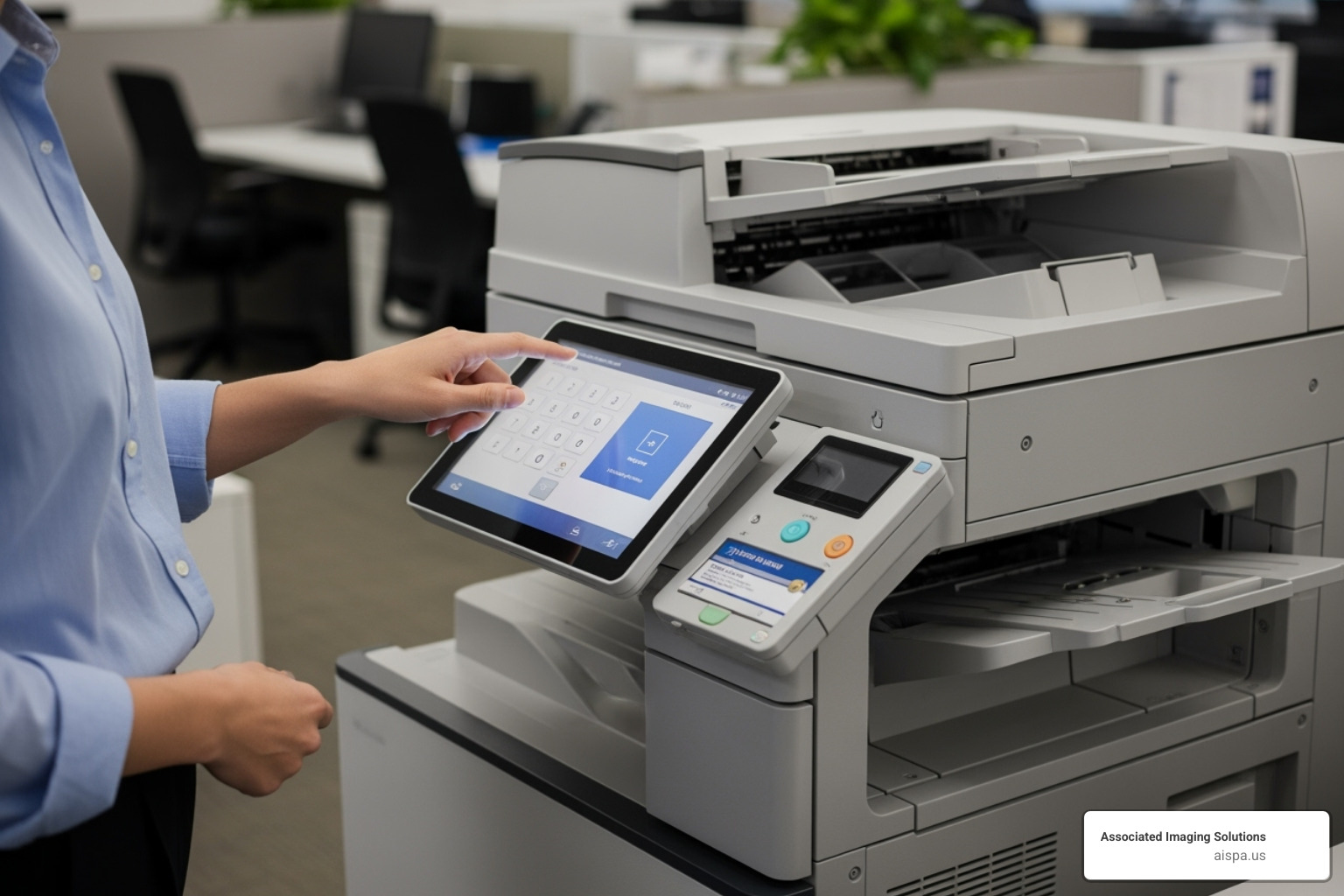
Your commercial copier sits at the heart of your office network, quietly processing everything from payroll documents to client contracts. That makes it both incredibly valuable and potentially vulnerable. The good news? Today’s machines come loaded with security features that would make a cybersecurity expert smile, plus productivity tools that can transform how your team works.
Protecting Your Data with Advanced Security Features
Think about it: your copier sees everything. Financial reports, employee records, confidential contracts—they all pass through that machine. That’s why modern security features aren’t just nice-to-haves; they’re essential shields protecting your business.
User authentication is your first line of defense. Whether it’s a simple PIN code, a keycard swipe, or even a fingerprint scan, these systems ensure only authorized people can access your copier’s functions. No more worrying about that stack of confidential documents sitting in the output tray when you step away.
When your commercial copier processes documents, it temporarily stores data on its hard drive. Data encryption scrambles this information, making it completely unreadable to anyone who shouldn’t have access. Think of it as a secret code that only your authorized systems can understand.
Network firewalls built right into the copier act like security guards, blocking unauthorized access attempts from outside your network. Meanwhile, secure print release holds your documents in a digital queue until you physically authenticate at the machine—perfect for sensitive reports that shouldn’t sit unattended.
The machine takes care of itself too. Automatic firmware updates keep your copier’s software current, patching vulnerabilities before they become problems. And when documents are done processing, hard drive overwrite technology scrubs away any digital traces multiple times, ensuring deleted data stays deleted.
These aren’t theoretical concerns. Data breaches cost businesses an average of $4.45 million globally, and unsecured office equipment is often an overlooked entry point for cybercriminals.
Boosting Productivity with Integrated Software Platforms
Security is crucial, but productivity is what pays the bills. Modern copiers shine here, changing routine tasks into streamlined workflows that save hours each week.
Customizable touchscreens let you create personalized shortcuts for common tasks. Instead of navigating through multiple menus every time, you can set up one-touch buttons like “Scan to Accounting” or “Copy Legal Size & Sort.” It’s like having speed dial for your most frequent document needs.
One-touch workflows take this even further. Imagine scanning a contract, automatically converting it to a searchable PDF, emailing it to your legal team, and saving a copy to your cloud storage—all with a single tap. These pre-programmed sequences eliminate repetitive steps and reduce human error.
App integration turns your copier into a productivity hub. Popular platforms connect directly with cloud services like Google Drive, Dropbox, and Microsoft 365, so you can print from or scan to your preferred platforms without touching a computer. Some systems even run business apps directly on the copier’s interface.
Remote device management keeps everything running smoothly behind the scenes. Your IT team can monitor performance, troubleshoot issues, and update settings from anywhere, minimizing downtime and keeping your office humming along.
The real magic happens with document management system integration. Your copier becomes a natural extension of your digital filing system, making it effortless to archive, retrieve, and share documents across your organization.
At Associated Imaging Solutions, we’ve seen how these advanced features transform daily operations for Philadelphia-area businesses. The right combination of security and productivity tools doesn’t just protect your data—it gives your team superpowers they never knew they needed.
Acquiring Your Copier: Leasing vs. Buying
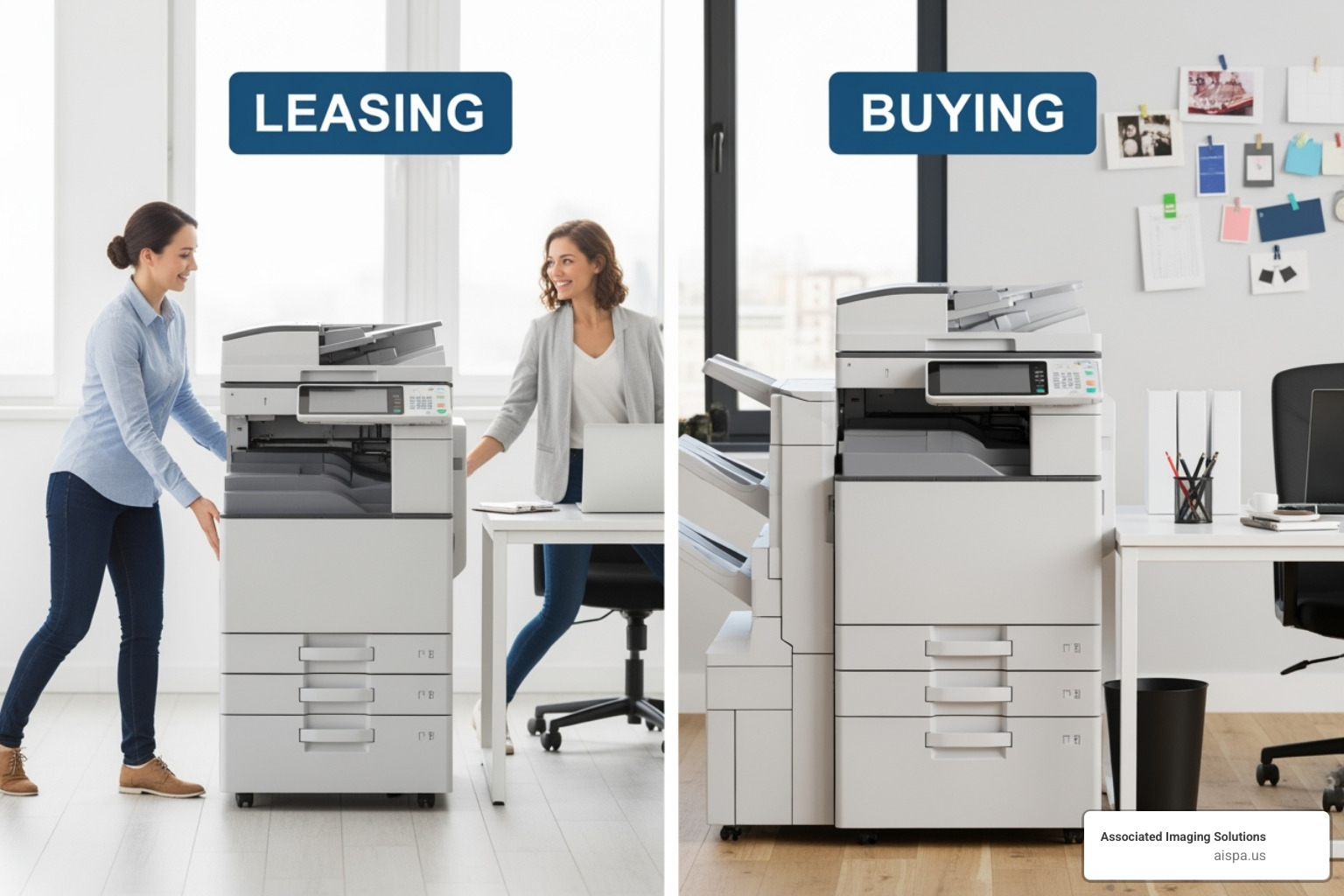
Once you’ve found the perfect commercial copier for your business, you face another important decision: should you buy it outright or lease it? This choice affects more than just your monthly cash flow—it impacts your financial flexibility, maintenance responsibilities, and how quickly you can adapt to new technology.
The good news? Businesses can save up to 30% on premium office copiers simply by comparing options from different suppliers. This savings potential applies whether you’re buying or leasing, making your research time well worth the effort.
The decision often comes down to your business’s financial situation, growth plans, and how you prefer to manage equipment. Let’s explore both paths to help you make the right choice.
The Benefits of Buying a Commercial Copier
Buying a commercial copier outright appeals to businesses that value ownership and long-term cost control. When you purchase, you gain full ownership from day one, giving you complete control over how the machine is used, serviced, and eventually replaced.
The financial benefits can be substantial. After your initial investment, you eliminate monthly equipment payments, which simplifies your budgeting and improves your cash flow over time. Many businesses also appreciate the tax advantages that come with ownership—you can depreciate the copier as a business asset over its useful life, potentially reducing your tax burden.
Long-term cost effectiveness is another major advantage. If you plan to keep your copier for its entire lifespan (typically 5 to 10 years with proper maintenance), buying often costs less than leasing over the same period. You also maintain complete control over maintenance and service, choosing your own technicians and supply vendors rather than being locked into a lease provider’s network.
Purchasing works best for businesses with stable print volumes, sufficient capital for the upfront investment, and a clear long-term need for a specific type of copier.
Why Leasing a Copier Might Be a Smarter Choice
For many businesses we work with across Pennsylvania, leasing has become the preferred option—and for good reason. The advantages often outweigh the benefits of ownership, especially in today’s fast-changing technology landscape.
Lower upfront costs make leasing attractive to businesses that need to preserve capital. Most lease agreements require little to no down payment, freeing up your cash for other business priorities like inventory, marketing, or expansion.
The predictable monthly expenses that come with leasing make budgeting much easier. Instead of worrying about unexpected repair bills or major maintenance costs, you know exactly what you’ll pay each month. Most lease agreements bundle service and maintenance right into your monthly payment, including parts, labor, and often even toner and supplies (excluding paper).
Perhaps most importantly, leasing gives you easy access to new technology. Commercial copier technology evolves rapidly, with new security features, faster processing, and better digital workflow capabilities appearing regularly. When your lease ends, you can upgrade to the latest models without being stuck with outdated equipment that might not meet your evolving business needs.
This flexibility to upgrade becomes especially valuable as your business grows or changes. Whether you need more capacity, better security features, or different functionality, a lease can adapt more easily than ownership.
The tax benefits can also be attractive. Lease payments are typically treated as operating expenses, which may offer different advantages compared to depreciating a purchased asset.
At Associated Imaging Solutions, we’ve helped countless businesses across Pennsylvania find the right leasing solution for their needs. From small offices in Altoona to large operations in Philadelphia, we offer flexible leasing options that grow with your business. More info about copier lease services.
Frequently Asked Questions about Commercial Copiers
When businesses across Pennsylvania come to us looking for the perfect commercial copier, they often have similar concerns and questions. After helping countless companies from small startups to large enterprises, we’ve noticed these questions come up again and again. Let’s address the most common ones.
How much does a commercial copier cost?
The honest answer? It depends on what you need, but we can give you a realistic picture. Commercial copier costs range from a few hundred dollars for basic models to several thousand dollars for feature-rich machines that handle high-volume operations.
Think of it like buying a car – you can get reliable transportation for different budgets, but the features and capabilities vary significantly. A basic multifunction printer might start around $300, while enterprise-level machines with advanced security, finishing options, and high-speed capabilities can easily reach $10,000 or more.
Several key factors influence the price:
The features you choose make a big difference. Color printing costs more than monochrome. Advanced finishing options like stapling and hole-punching add to the price. Security features and integrated software platforms also bump up the cost.
Speed matters too – machines rated for higher pages per minute (PPM) typically cost more because they're built for demanding environments. The brand and model you select also affects pricing, as different manufacturers offer various quality levels and feature sets.
Here's what many businesses overlook: the Total Cost of Ownership (TCO) often matters more than the initial price. This includes ongoing expenses like toner, maintenance contracts, replacement parts, and energy consumption over the machine's lifetime. Sometimes a more expensive machine upfront saves money in the long run through lower operating costs.
What is the average lifespan of a commercial copier?
Most commercial copiers serve businesses well for 5 to 10 years, but this isn't a guarantee – it's more like a guideline that depends on how you treat your machine.
Usage volume plays the biggest role in lifespan. Every copier has a recommended monthly print volume, kind of like a speed limit for your machine. Stay within that range, and your copier will likely reach its expected lifespan. Push it constantly beyond its limits, and you'll see problems much sooner.
Brand quality and build make a difference too. Reputable manufacturers design their machines to withstand years of regular use, but even the best machine won't last without proper care.
The most important factor? Regular maintenance. We can't stress this enough – consistent, professional maintenance is what separates copiers that last 10+ years from those that break down after three. This includes routine cleaning, calibration, and replacing wear-and-tear parts before they cause bigger problems.
Your environment also affects longevity. Copiers last longer in clean, temperature-controlled spaces away from excessive dust, humidity, or direct sunlight. It's amazing how much a good location can extend your machine's life.
How can my business get the best value and service?
Getting the best value isn't about finding the cheapest option – it's about making a smart investment that serves your business well for years. Here's our proven approach for getting exceptional value and service. Start by defining your needs clearly before you talk to any supplier. Know your estimated print volume, required features, security needs, and how the copier will integrate with your existing systems. This preparation gives you confidence in negotiations and helps suppliers recommend the right solutions. Always compare quotes from multiple suppliers – this single step can save you significant money. Businesses can save up to 30% on premium office copiers by shopping around. Don't just compare prices though; look at what's included in each proposal. Here's where many businesses make a mistake: they focus too much on initial price and not enough on service quality. A low upfront cost means nothing if you're dealing with frequent breakdowns, slow response times, or poor customer support. Prioritize service agreements and support response times over just the initial price. Ask detailed questions about maintenance contracts, technical support hours, and supply management options. What's covered in the service agreement? How quickly do they respond to service calls? Can they provide remote troubleshooting? Research your provider's reputation in your local area. Look for reviews, ask for references, and check how long they've been serving businesses like yours. A provider with deep local roots and a track record of satisfied customers – like our presence throughout Pennsylvania – becomes a valuable long-term partner. Finally, consider leasing options if capital preservation and technology upgrades are priorities. Leasing often bundles comprehensive service and makes it easier to stay current with advancing technology. The goal isn't just buying a machine – it's partnering with a provider who understands your business and keeps your operations running smoothly for years to come.
Conclusion: Making the Right Choice for Your Business
Throughout this guide, we’ve walked through the essential considerations that can make or break this important decision. From assessing your print volume and feature needs to understanding the security protocols that protect your sensitive data, each factor builds toward finding that perfect fit for your unique operations.
The landscape has changed dramatically. Today’s commercial copier serves as a digital workflow hub that connects your physical documents to cloud systems, automates routine tasks, and supports remote work capabilities. Whether you need multifunction capabilities for a small office or high-volume processing for a busy department, the right choice improves collaboration while streamlining your daily operations.
We’ve also explored the financial flexibility that comes with understanding your acquisition options. Buying offers full ownership and control, while leasing provides access to the latest technology with predictable monthly expenses and comprehensive service coverage. Businesses can save up to 30% by comparing options—a reminder that thorough research pays off.
For businesses throughout Pennsylvania, from busy Philadelphia offices to growing companies in Bethlehem, Chester, and Wilkes-Barre, having a local partner makes all the difference. At Associated Imaging Solutions, we understand that every business has its own rhythm and requirements. Our local expertise combined with global standards means you get personalized service that actually understands your market, backed by the advanced technology your business deserves.
The right commercial copier becomes more than office equipment—it becomes a productivity partner that grows with your business. When you’re ready to transform how your team handles documents and workflows, we’re here to guide you through every step of the process.
Ready to find a solution that perfectly aligns with your business goals? Find the perfect copier lease for your business.
Related Posts
— Sharp AR-M207 Drivers: Your Printer’s Lifeline

— Flip It Good: The Ultimate Guide to Double Sided Printing Paper